A Google Maps rank checker is more than just a reporting tool—it’s your only window into what real customers see when they search for you. It peels back the curtain on the biased results you get when searching from your own office, showing you exactly where you stand across every neighborhood you serve.
This data is the key to understanding why one store is thriving while another is practically invisible online.
Why Your Google Maps Rank Is a Local SEO Game Changer
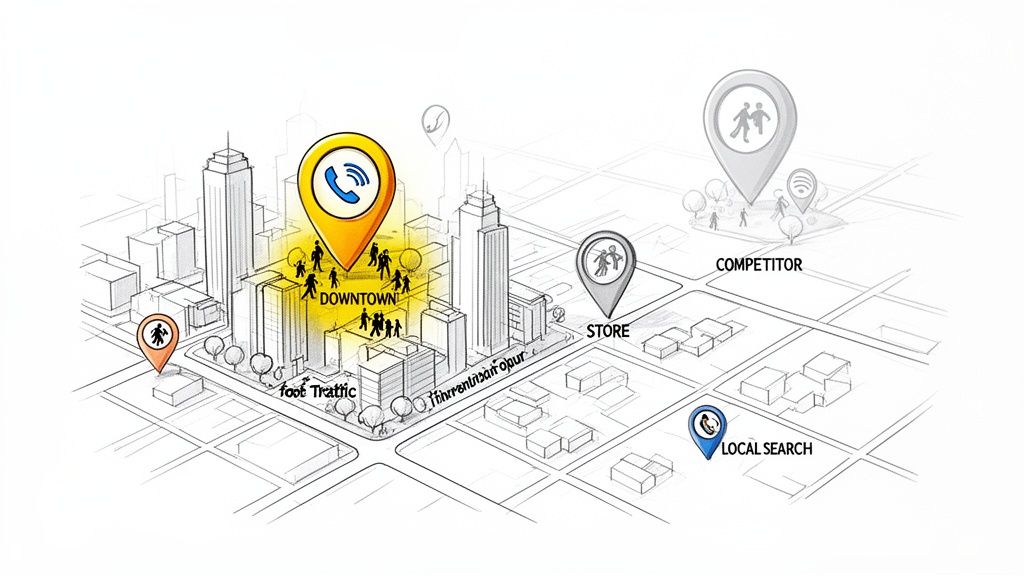
Think about a multi-location wellness brand with two stores. The downtown location is swamped, with a constant stream of customers who found them online. But the suburban branch? Crickets. It’s not a service problem; it's a visibility problem. A Google Maps rank checker is the tool that tells you precisely why.
For any business that depends on local customers, your position in the Google Map Pack is everything. With 46% of all Google searches carrying local intent, failing to land in those top three spots means you're missing out on a massive chunk of your market.
Let’s be blunt: if you're not in the top 3 on Google Maps for your core services, your competitors are getting the calls and foot traffic that should be yours. Visibility isn't a vanity metric; it's a direct line to your bottom line.
Uncovering Hyperlocal Performance
Your ranking isn't a single, fixed number. It can change dramatically from one block to the next. Someone searching for a "coffee shop" just a few streets over might see a completely different set of businesses than someone standing right outside your door.
This is where a real Google Maps rank checker proves its worth. It gives you a true, hyperlocal view of your performance by:
- Simulating Searches: It checks your rankings from hundreds of different points across your city, not just from your business address.
- Identifying Weak Spots: It literally maps out the neighborhoods where your visibility plummets, showing you exactly where your untapped customers are.
- Tracking Competitors: You can see where rivals are outranking you, street by street, giving you the intel needed to fight back.
From Data to Decisions
At the end of the day, tracking your Google Maps rank isn't about collecting data for the sake of it. It's about making smarter decisions that drive growth.
When you finally understand your true visibility, you can stop guessing and start taking targeted action.
This knowledge helps you focus your efforts where they'll have the biggest impact. Maybe it's optimizing a specific Google Business Profile, running a review campaign in a weak neighborhood, or creating content for a particular service area. The insights from a rank checker guide your every move. To get a better sense of what moves the needle, it helps to understand the core local SEO ranking factors that Google prioritizes.
This strategic approach ensures your marketing dollars and time translate directly into more foot traffic, more calls, and real, sustainable growth.
Checking Your Rankings Manually (The Right Way)
Before you even think about paying for fancy software, you need to get your hands dirty. Understanding how to manually check your local rankings gives you a real feel for what potential customers are seeing. It’s a foundational skill, but most business owners do it completely wrong.
The absolute biggest mistake? Searching for your own business from your office computer. When you do that, Google sees you—your location, your search history, your frequent visits to your own website. Of course, it's going to show you at the top! This creates a dangerous false sense of security, making you think you're #1 when you might be invisible to a customer just a few blocks away.
To get an honest look, you have to strip away all that personalization.
Start with a Clean Slate: Incognito Mode
Your first and simplest step is to open an Incognito or private browsing window. This tells your browser to ignore your saved cookies, search history, and logged-in Google account.
It’s a much cleaner, less biased snapshot of the search results. While it doesn't solve the location problem entirely—Google still makes a guess based on your IP address—it immediately removes your personal search habits from the equation. Think of it as the absolute bare minimum for any manual rank check.
See Through Your Customer's Eyes with Chrome DevTools
To really understand how you rank across different neighborhoods, you need to trick Google into thinking you’re physically standing there. This is where a powerful, free tool built right into your browser comes in handy: Google Chrome DevTools. It lets you simulate any geographic coordinates you want, giving you a truly hyperlocal perspective.
This is the closest you can get to a professional rank tracker without spending a dime. It’s perfect for spot-checking your visibility in a new target area or seeing how you stack up against a competitor across town.
Here’s how to set it up:
- Open Developer Tools: In Chrome, right-click anywhere on the page and hit "Inspect." You can also use the shortcut
Ctrl+Shift+I(Windows) orCmd+Option+I(Mac). - Find the Sensors Tab: In the panel that pops up, click the three-dot menu icon, then go to
More tools>Sensors. - Override Your Geolocation: Look for the "Geolocation" dropdown and change it from "No override" to "Other…"
- Enter Your Target Coordinates: A new field will appear for latitude and longitude. The easiest way to get these is to just right-click a specific spot on Google Maps.
- Refresh and Search: Once you've entered the coordinates, just reload the Google search page. Bam. The results will now be served as if you were searching from that exact spot.
This little trick lets you check your rank for "coffee shop near me" from the financial district, a suburban neighborhood, and the local college campus—all without leaving your desk.
Use a VPN for a Broader View
Another great tool for your manual toolkit is a Virtual Private Network (VPN). A VPN routes your internet connection through a server somewhere else, masking your real IP address and making websites think you’re browsing from that new location.
A VPN is less precise for street-by-street checks than DevTools, but it’s fantastic for quickly seeing how you appear to users in a different city or state. For example, a hotel in Los Angeles could use a VPN to check its visibility for searches coming from Chicago, a huge source of tourists.
Just keep in mind that a VPN gives you a city-level view, not the pinpoint accuracy of specific coordinates. The method you choose depends on how granular you need to be.
By combining Incognito mode with either DevTools or a VPN, you've got a powerful (and free) workflow to start diagnosing your true local SEO performance.
Visualizing Your True Rank Across Different Neighborhoods
Manual checks are useful for a quick pulse-check in a specific spot, but they don't show you the whole playing field. For any business with a physical address, inconsistent rankings across a city are a constant headache. I call this the "ranking donut"—you're highly visible right next to your store, but that visibility evaporates just a few miles out, leaving a hole where potential customers can't find you.
This is exactly where a sophisticated Google Maps rank checker becomes a game-changer. It moves beyond a simple list of numerical positions and builds a visual, real-world map of your market presence. These tools generate what are called "ranking heatmaps," which show you precisely where your business lands in the Map Pack for the keywords that matter most.
From Numbers to a Heatmap Reality
A heatmap won't just tell you that you're position #5 for "dentist in Chicago." Instead, it lays a color-coded grid over a map of the city. Green zones pop up where you're crushing it in the top three, while yellow and red zones immediately flag neighborhoods where you're slipping to the second page or are completely invisible.
This visual data is so powerful because it plugs directly into Google's core local ranking algorithm, which is obsessed with proximity. A heatmap lets you see the proximity factor in action, showing you the exact line where your influence drops off. It turns an abstract SEO concept into a clear, actionable battle plan for your city.
To get a better sense of how manual checks work on a basic level, the flowchart below breaks down the key steps to getting results that aren't skewed by your personal search habits.
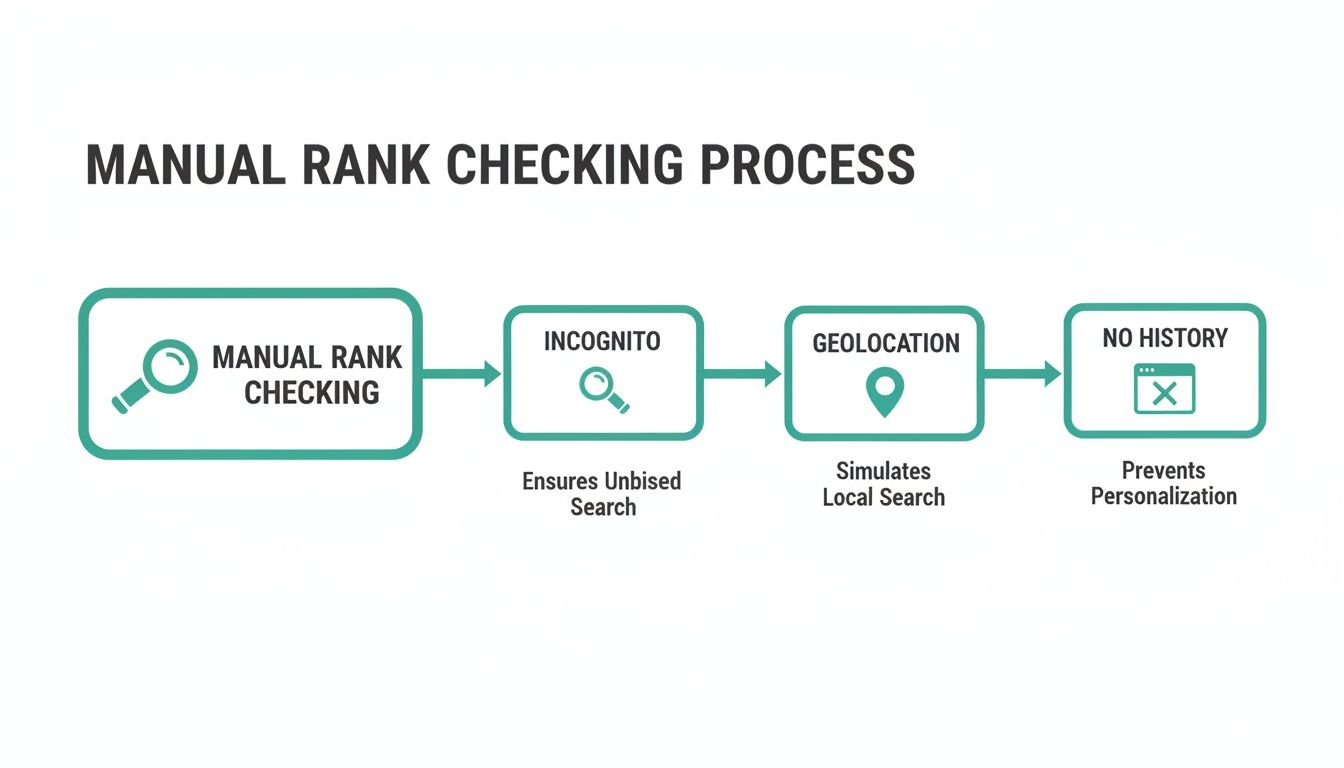
This process shows why using an incognito window, setting a specific geolocation, and clearing your search history are non-negotiable for accurate manual rank checks.
A Real-World Scenario Uncovering Hidden Growth
Let's walk through a real-world example. Imagine a multi-location dental practice in a sprawling city like Austin. The owner is feeling pretty good because when they check from their downtown office, they always show up in the top spot for "emergency dentist."
But a heatmap from a Google Maps rank checker tells a completely different—and startling—story:
- Downtown Core: They dominate, consistently ranking in positions #1 and #2. (This is their green zone).
- South Congress: Their visibility plummets to positions #4 through #7. (A big yellow zone).
- The Domain (North Austin): They are completely off the radar, not even showing up in the first three pages of results. (A huge red zone).
Instantly, this heatmap uncovers a massive, untapped market in North Austin. While the practice was patting itself on the back for its downtown performance, it was invisible to thousands of high-value patients in an affluent part of the city. The problem wasn't their service or reputation; it was a hyperlocal visibility gap that only a visual rank tracker could expose.
Armed with this data, the dental practice can stop guessing and start executing. They now have a clear directive: focus their local SEO efforts—like generating reviews and creating location-specific content—on the specific neighborhoods where they are weakest.
Why Visualizing Your Rank is a Strategic Advantage
Understanding your hyperlocal visibility isn't just an interesting data point; it's a strategic necessity. The battle for local customers is won and lost on a block-by-block basis.
The table below breaks down the most critical factors driving these rankings. As you'll see, signals tied directly to your Google Business Profile aren't just important—they're everything.
Local Search Ranking Factors and Their Impact
| Ranking Factor | Weight in Local Pack | Key Optimization Actions |
|---|---|---|
| GBP Signals | 32% | Reviews (quantity, velocity, diversity), completed profile, Q&A, regular posts. |
| On-Page SEO | 21% | Keywords in titles, NAP consistency, local content, mobile-friendliness. |
| Link Signals | 17% | Local inbound links, anchor text from relevant domains, domain authority. |
| Behavioral Signals | 11% | Click-through rate, direction requests, mobile clicks-to-call, dwell time. |
| Review Signals | 9% | Positive sentiment, first-party reviews, review response rate. |
| Personalization | 6% | User search history, location, device type. |
| Citation Signals | 4% | IYP/aggregator NAP consistency, citation volume, and accuracy. |
Focusing on your GBP signals gives you the biggest bang for your buck, directly influencing a third of your ranking potential. Learn more about the critical impact of these local search ranking factors on advicelocal.com.
Securing the #1 spot in the Map Pack can capture about 44% of all clicks, and those clicks convert at a rate 500% higher than lower positions. In a world where 46% of all Google searches have local intent, ignoring these hyperlocal blind spots is like leaving cash on the table for your competitors to scoop up.
Without a heatmap, you're flying blind, optimizing for a single dot on the map while the rest of your service area is a mystery. A quality Google Maps rank checker gives you the visual intelligence to launch targeted, effective local SEO campaigns that drive what really matters: phone calls, direction requests, and new customers walking through your door. It shifts your strategy from broad and hopeful to precise and data-driven.
Automating Rank Checking for Scalable Insights
Manual checks are fine for a quick gut-check. But they completely fall apart at scale.
If you run a franchise with ten locations or a retail brand with fifty stores, trying to check rankings across every neighborhood is more than just tedious—it's impossible. This is where automation stops being a luxury and becomes an absolute operational necessity.
An automated Google Maps rank checker is what separates anecdotal evidence from a scalable, data-driven strategy. It’s the difference between peeking at your city through a keyhole and getting a full panoramic satellite view of your market. The right tool frees up countless hours and delivers a level of granular data you could never get by hand, letting you focus on high-impact strategy instead of drowning in repetitive tasks.
Moving Beyond a Single, Misleading Number
The first generation of rank trackers gave you one simple number. You might learn you’re position #4 for "HVAC services in Austin" from a generic search pinned to the city center. While that sounds okay, it’s dangerously misleading.
That single data point tells you nothing about the massive "ranking donut" where you're completely invisible to customers just a few miles away.
Modern local SEO platforms paint a much more honest picture. They work on a grid system, simulating searches from dozens or even hundreds of points across your actual service area. This creates what's known as a ranking heatmap—a visual map showing your visibility street by street. Instead of one number, you get a clear, color-coded map showing exactly where you're strong (green) and where competitors are eating your lunch (red).
What to Look for in a Modern Rank Checker
Not all rank trackers are created equal. You need a platform built for the real-world complexities of hyperlocal search. Focusing on the right features ensures you get actionable intel, not just more data to get lost in.
Here are the non-negotiables:
- Grid-Based Tracking: This is the absolute core of any effective local rank checker. If it can't check your rankings from multiple geo-points to build a heatmap, it's not worth your time.
- Multiple Keyword Tracking: Your customers don't all use the same search terms. The tool has to let you track performance for a whole range of keywords, from broad terms like "italian restaurant" to long-tail queries like "best gluten-free pizza near me."
- Historical Data and Trendlines: A single report is just a snapshot in time. You need to see how your rankings change over weeks and months to actually measure the impact of your SEO efforts and spot downward trends before they turn into a serious problem.
- Competitive Analysis: Knowing your rank is only half the story. A truly powerful tool will show you which competitors are outranking you in your weak zones, giving you critical intel to adjust your strategy.
A great rank tracker doesn't just report data; it reveals opportunity. It should clearly show you the high-value neighborhoods where your brand is currently invisible, giving your marketing team a precise target for improvement.
The Real Value of Automation
Ultimately, automating your rank checking is about making smarter, faster decisions at scale.
Imagine you're a regional manager for a wellness brand with 20 clinics. With an automated platform, you can instantly see how your downtown Chicago clinic stacks up against your location in suburban Naperville.
You can pinpoint which keywords are driving the most calls in each market and flag underperforming stores that need immediate help. That level of insight is transformative. It turns local SEO from a guessing game into a predictable system for growth. For a deeper dive, our guide on the best Google Maps ranking checker offers more detail on the tools available.
Automation gives you the data you need to put resources where they'll make the biggest impact—and prove the ROI of your local marketing with clear, undeniable metrics.
Turning Rank Checker Data into an Action-Driven Growth Plan
Pulling the data is the easy part. The real work starts when you turn that information into a strategy that actually drives more calls, clicks, and customers through your doors.
A heatmap from a Google Maps rank checker isn't just a pretty picture; it's a treasure map pointing straight to your biggest growth opportunities. When you stop just looking at data and start seeing a plan, everything changes.
Your goal is to shift from passive reporting to active, targeted execution. It's all about putting your effort where it will have the biggest impact on your bottom line, and that starts by finding your high-value "opportunity zones."
Identify Your Opportunity Zones
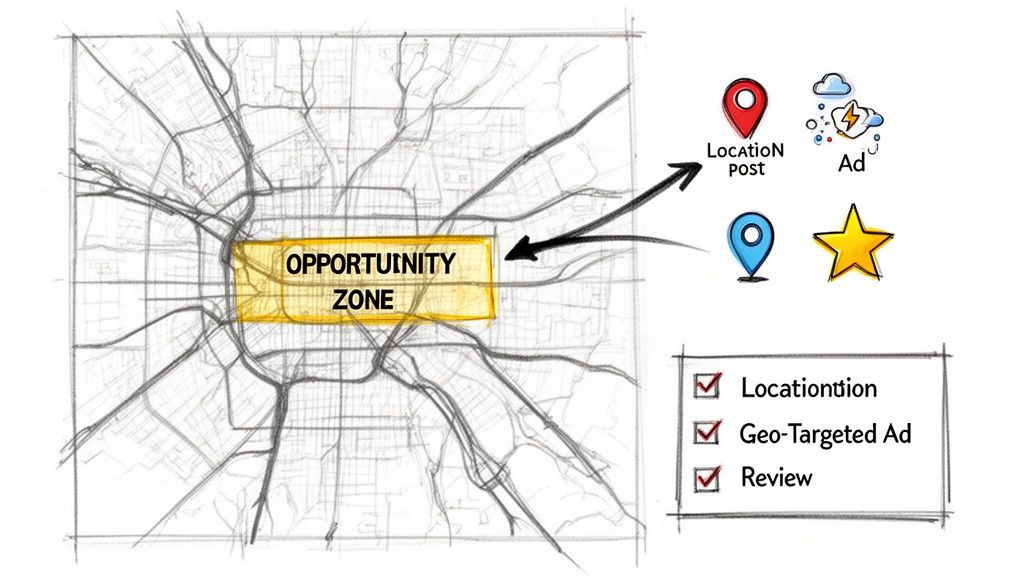
An opportunity zone is a simple concept with powerful implications. It's an area on your map with a high density of your ideal customers but where your Google Maps ranking is weak or non-existent. These are the red zones on your heatmap, and they represent pure, untapped potential.
Think about it this way: ranking #1 in an industrial park with zero foot traffic is just a vanity metric. But jumping from #15 to #3 in a bustling downtown neighborhood can completely change your business's trajectory.
The first step is to overlay your heatmap data with customer demographics to find these goldmines.
The most valuable insight from a rank checker isn't seeing where you're strong; it's seeing precisely where you're weak in front of the right audience. This clarity lets you focus your marketing budget and effort with surgical precision.
Once you’ve found these zones, you have to diagnose the "why." Are competitors with more reviews dominating that neighborhood? Is their website content better optimized for location-specific searches? This analysis is the foundation of your entire action plan.
Build a Hyperlocal Action Plan
With your opportunity zones mapped out, you can build a laser-focused plan.
Let’s imagine a boutique coffee shop in a major city. They use a Google Maps rank checker and discover they're invisible in a business district just one mile away—a prime opportunity zone packed with professionals who need a caffeine fix.
Their plan shouldn't be a generic SEO blast. It needs to be a hyperlocal campaign aimed squarely at that district.
- Create Location-Specific Content: They could write a blog post titled "The Best Coffee Break for Financial District Professionals" or create Google Business Profile posts highlighting a "Lunch Hour Express" deal.
- Run Geo-Targeted Ads: Using Google Ads, they can set a tight radius around that specific business district, running ads that only appear to users searching from that zone. This is a cost-effective way to build awareness exactly where it’s needed.
- Source Geo-Specific Reviews: The shop can encourage customers who mention they work in the district to leave a review. A review that says, "My favorite place to grab coffee on my way to the office on Main Street," is an incredibly powerful local signal for Google.
- Focus on Relevant Keywords: Their rank checker data shows which keywords they rank poorly for in that zone. They can then prioritize terms like "espresso near City Hall" or "quick lunch financial district" in their GBP services, Q&A, and website content.
This approach is methodical and, most importantly, measurable. After running this hyperlocal campaign for a few weeks, they can fire up the rank checker again to see if that red zone is finally turning yellow or green.
Prioritize Keywords That Drive Action
Not all keywords are created equal. A high rank for a broad term like "restaurant" might get you some traffic, but it’s often low-intent. Your rank checker data lets you zero in on the keywords that actually drive conversions—phone calls and requests for directions.
Many advanced platforms track these behavioral signals right alongside your rankings. You might find that a search for "emergency plumber near me" has lower volume but a much higher click-to-call rate than a generic term like "plumbing services." That insight is gold.
It tells you to double down on optimizing for those high-intent, transactional keywords, even if they seem less popular. This is how you transform your Google Business Profile from a simple listing into a true lead-generation machine.
For a deep dive on what to focus on, check out our complete Google Business Profile optimization checklist, which covers these details and more.
By combining heatmap analysis with keyword performance, you create a feedback loop. You identify a weak area, deploy a targeted strategy, and use the rank checker to measure the results. This iterative process is the key to systematically conquering your local market, one neighborhood at a time.
Common Questions About Google Maps Rank Checkers
Even with the best tools, questions are a natural part of the process. When it comes to checking your Google Maps rankings, I hear the same handful of questions from business owners all the time.
Let's clear up the confusion so you can move forward with confidence.
How Often Should I Check My Google Maps Rankings?
The real answer? It depends on how competitive your market is.
If you're in a crowded space—think home services in a major city or a restaurant in a busy downtown area—you'll want to check your rankings weekly or bi-weekly. This cadence is frequent enough to catch problems early, see if your optimizations are working, and spot when a competitor makes an aggressive move.
Many automated platforms send bi-weekly reports, which honestly strikes the perfect balance. It gives you a consistent read on performance without making you overreact to the small, day-to-day fluctuations that are totally normal. For businesses in less cutthroat niches, a solid monthly check-in is usually plenty.
The goal isn't constant surveillance; it's consistent insight. Checking too often leads to panicked, short-sighted decisions. A steady, bi-weekly review is the sweet spot for smart, strategic planning.
Why Are My Rankings Different on My Phone vs. My Computer?
This is probably the most common question I get, and it gets right to the heart of why you need an objective rank checker. Your rankings look different on your own devices for two big reasons: personalization and precise location.
First, Google knows you. It personalizes results based on your search history and the websites you visit. If you’re constantly checking your own business’s website, Google is way more likely to show it to you in search results. It thinks it's being helpful.
More importantly, your phone uses GPS to know exactly where you're standing. Your desktop computer? It's usually just guessing your location based on your internet connection. This is why a third-party Google Maps rank checker is the only way to get a clean, unbiased view of how you actually rank across your entire service area.
What Is a Ranking Heatmap vs. a Rank Checker?
Think of it like getting a single temperature reading versus seeing the entire weather map.
- A traditional rank checker tells you your position from one spot, like the center of a zip code. It'll say you're rank #4, but that’s just one piece of the puzzle.
- A ranking heatmap shows you the whole picture. It visualizes your rank across dozens or even hundreds of specific points on a map, painting a color-coded grid over the city.
The heatmap instantly shows you where you're strong (green zones) and where you're basically invisible (red zones). This is incredibly powerful because it reveals the block-by-block reality of local SEO and tells you exactly where you need to focus your efforts.
Can I Improve Maps Ranking Without GBP Access?
Absolutely. While having direct access to your Google Business Profile is a huge advantage, many of the most powerful ranking signals happen "off-page." Google's algorithm is built to reflect what's popular in the real world, not just what's perfectly optimized online.
Certain strategies and platforms are designed to work without ever logging into your GBP. They focus on generating the kind of authentic engagement signals that Google trusts most, like:
- People searching for your business by name
- Real users clicking on your profile in the Map Pack
- Phone calls being made from your listing
- Customers requesting driving directions to your store
When Google sees a steady stream of real people engaging with your business from a specific neighborhood, it registers that as a massive vote of confidence. That’s a powerful signal of local authority, and it directly boosts your rankings in that area.
Ready to see your true local rankings and uncover your biggest growth opportunities? Nearfront uses AI-powered heatmaps and authentic user engagement signals to get your business seen by more local customers. Discover how it works at Nearfront.