When it comes to SEO for Google Places, everything starts with your Google Business Profile (GBP). This isn't just a listing; it's the absolute foundation for showing up in local searches, Google Maps, and that all-important "Map Pack."
Think of your profile as a direct line of communication to Google. It's how you signal what your business does, where it is, and why it deserves to be shown to local customers searching right now.
Building Your Foundational Google Business Profile
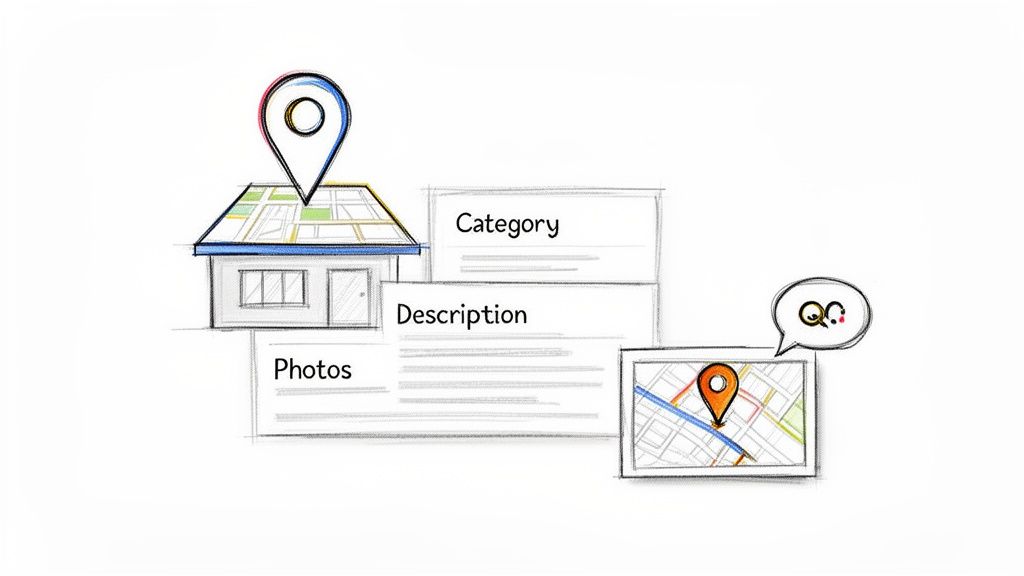
Before you can even think about advanced local SEO strategies, you have to master your Google Business Profile. This is non-negotiable. So many businesses fill out the basics and just stop, leaving huge ranking opportunities on the table. A truly optimized profile is a dynamic tool for attracting and converting local customers, not just a digital business card.
It all begins with verification, a simple step that an astonishing number of businesses skip. Local search dominance starts with this trust signal. An estimated 64% of companies have verified their Google Business Profiles, which puts the unverified minority at a massive visibility disadvantage.
Verified profiles aren't just for show—they can generate around 200 clicks or interactions every month, plus over 100 website visits. For any brick-and-mortar brand, those numbers make GBP essential.
Choosing Your Core Business Categories
This is one of the most critical—and frequently botched—parts of your profile. Your category selection carries immense weight in Google's algorithm. With nearly 4,000 categories to choose from, precision is key.
- Primary Category: This needs to be the most specific and accurate description of your main business function. Don't just pick "Restaurant." If you serve pasta, choose "Italian Restaurant." If you're plant-based, go with "Vegan Restaurant." Get specific.
- Secondary Categories: Use these to cover everything else you do. That "Italian Restaurant" could add "Pizza Delivery" and "Catering" to cast a wider net and capture more relevant searches.
Pro Tip: Never use a category to describe a feature of your business, like "Free Wi-Fi." Stick to categories that describe what your business is or does. This sharp focus helps Google understand your core offerings and match you with the right customers.
Crafting a Compelling Business Description
You get 750 characters for your business description. Treat it like your elevator pitch. This is a prime spot to naturally weave in your local keywords and tell potential customers what makes you different.
For a complete walkthrough, our guide on how to optimize your Google Business Profile covers this in depth.
The key is to focus on the problems you solve for local customers. Mention specific services, what makes you unique, and the areas you serve. For instance, a plumber might include phrases like "emergency plumbing services in downtown" or "certified water heater installation." This not only helps users but sends powerful relevance signals to Google for those seo google places queries.
To help you stay on track, here's a quick checklist of the essential GBP elements you need to nail down.
GBP Optimization Checklist
This table breaks down the must-have elements for a fully optimized Google Business Profile that attracts and converts local customers.
| GBP Element | Key Optimization Action | Impact on Rankings |
|---|---|---|
| Business Name | Ensure it matches your real-world signage (no keyword stuffing). | High |
| Primary Category | Select the most specific category that defines your business. | Very High |
| Secondary Categories | Add all other relevant service categories. | Medium |
| Address & Service Area | Verify your physical address and define service areas if applicable. | Very High |
| Phone Number | Use a consistent, local phone number. | High |
| Business Description | Write a compelling, 750-character summary with local keywords. | Medium |
| Photos & Videos | Upload high-quality, geotagged images regularly (at least 10). | High |
| Reviews | Actively generate new reviews and respond to all of them. | Very High |
| Google Posts | Publish weekly posts about offers, events, or updates. | Medium |
| Q&A Section | Pre-seed with common questions and answer them thoroughly. | Medium |
Making your way through this checklist is the first and most important step. A complete and accurate profile is the bedrock upon which all other local SEO efforts are built.
Finding Local Keywords That Attract Customers
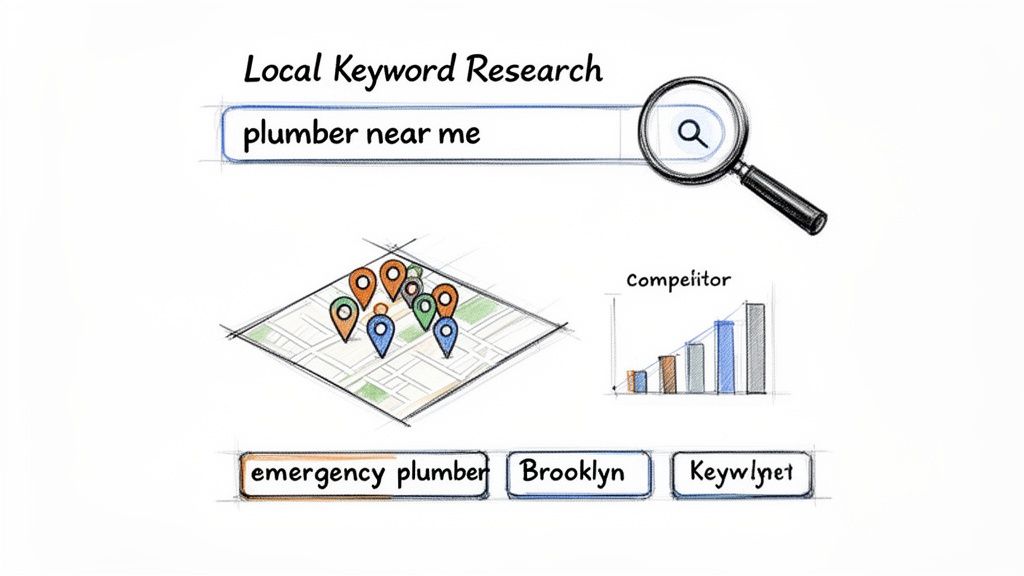
You can't optimize your Google presence without getting inside your customers' heads. This means looking past the obvious, generic keywords and finding the exact phrases people type—or speak—into their phones when they need something now.
Forget about chasing huge search volumes. Winning in local search is all about relevance and intent. You’re not just collecting words; you're uncovering the real-world problems your customers are trying to solve in your neighborhood.
Uncovering High-Intent Local Queries
The best local keywords are the ones that scream urgency. Your job is to find all the different ways people express that need and then build your entire Google Business Profile around those phrases.
Start by listing out your core services. Now, think like a customer who just found a leak under their sink. They aren't searching for "plumber." They're searching for "emergency plumber in Brooklyn" or "leaky faucet repair near me."
That simple mindset shift is where the high-conversion opportunities are hiding. The patterns are usually pretty clear:
- Service + Location: Think "tax accountant in downtown Miami" or "deep dish pizza River North."
- "Near Me" Modifiers: These are classics, like "walk-in clinic near me" or "best coffee shop near me."
- Problem-Focused Searches: This is where the magic happens. Queries like "how to fix a running toilet" or "what to do for back pain" are absolute gold.
Those problem-focused searches let you get in front of customers before they've even decided to buy. You can answer their question with a Google Post or in your Q&A section, instantly positioning yourself as the local expert.
Successful local SEO is about winning the "I need it now" moments. Your keyword strategy has to map directly to the urgent problems of your local audience, giving them the right answer at the exact moment they ask.
Analyzing Competitor Keywords
Your competitors are literally handing you a playbook. By seeing what terms they already rank for in the Map Pack, you can spot the gaps in your own strategy and jump on them.
Do a few manual searches for your main services and see who pops up in the top three local spots. Read their business titles, scan their reviews, and look at their Google Posts. What specific services do they keep mentioning? What are people asking in their Q&A section?
For a more systematic approach, you can use specialized tools. There are plenty of powerful local keyword research tools out there that can show you the exact queries sending traffic to your competitors' profiles.
And don't forget to mine Google itself. The "People also ask" section is a fantastic source for those problem-focused keyword ideas. It's a direct window into what searchers are thinking.
Once you have a solid list of high-intent local keywords, you need to weave them into the fabric of your profile. This isn't about stuffing keywords everywhere. It’s about thoughtfully placing them in your GBP services, product descriptions, Q&A responses, and Google Posts to send strong signals to Google that you are the most relevant local choice.
Sending the Right Signals to Google's Local Algorithm
Having a complete Google Business Profile is table stakes. It's the price of entry, not the key to winning. If you really want to lock down a top spot in the local Map Pack, you have to prove to Google that your business is a legitimate, trusted, and popular authority in your city.
This is where your off-profile strategy comes into play.
Google’s local algorithm is famously built on three core pillars: Relevance, Proximity, and Prominence. You can't change your physical address (Proximity), but you have a massive amount of control over the other two.
Building Prominence Through Citations
Prominence is basically your business's online reputation. Google wants to see you’re a well-known, established player. One of the most fundamental ways to build this is through citations—mentions of your business's Name, Address, and Phone number (NAP) across the web.
Think of each consistent citation as a vote of confidence. When high-quality directories like Yelp, Apple Maps, or niche industry sites list your NAP information identically to your GBP, it reinforces Google's trust in your data.
Inconsistent data, on the other hand, creates doubt. A slightly different business name here, an old address there—it all erodes that trust and can drag your rankings down. That's why a thorough citation audit and cleanup is often the first real move in a powerful local SEO campaign.
A consistent NAP across dozens of reputable online directories is a non-negotiable trust signal. It tells Google your business information is stable and reliable, which directly contributes to your prominence and local ranking authority.
Earning Trust with Local Backlinks
While citations are about consistency, backlinks are about authority. A backlink is just a clickable link from another website to yours. When a reputable, locally-relevant website links to you, it's like they're vouching for your business.
This is way more powerful than a simple directory listing. Think about these real-world examples:
- Community Sponsorships: Sponsoring a local 5k or a little league team often gets you a link from their website.
- Local News Features: Getting featured in a story by a local news blog or online publication can land you a high-authority backlink.
- Industry Partnerships: A wedding planner linking to their preferred local bakery sends strong relevance signals to Google.
These types of links are harder to get, which is exactly why Google values them so highly. They show that your business is an active, respected part of the local community.
Driving Real-World Engagement Signals
At the end of the day, Google wants to rank businesses that are popular in the real world. How does it measure this? By tracking user engagement signals right on your profile. Actions like clicks, calls, and direction requests prove that people are actually choosing your business.
This user activity is a massive indicator of popularity. The best-performing profiles are machines at converting views into these valuable actions. In 2026, benchmarks show that website clicks from GBP average 4%–7% of total views, with some B2B services even hitting 10%–12%.
What does that mean? For every 1,000 people who see your profile, you could be driving 40 to 70 clicks straight to your website. You can find more insights on these crucial GBP benchmarks on WebFX.com. These engagement metrics are the ultimate proof that your business isn't just visible—it's being chosen by real customers.
Turning Customer Reviews Into a Ranking Asset
In local search, customer reviews are everything. They're your social proof, a direct line to your customers, and a massive Google ranking signal. Just hoping customers leave feedback isn't a strategy—it’s a surefire way to let your competitors lap you.
Think about it from Google's perspective. Every review is a fresh piece of user-generated content telling the algorithm your business is active and relevant right now. A steady stream of new reviews signals that you're in business and serving people today. It's not just about the total number; the velocity—how often you get reviews—is just as crucial.
Creating a Proactive Review Generation System
To build real momentum, you need a simple, repeatable process for asking. The trick is to make it dead simple for happy customers to share their experience right when they're feeling the most positive about your business.
- Email & SMS Prompts: Once a service is done or a product is sold, fire off a quick follow-up. A simple, "How did we do? Share your feedback on Google!" with a direct link removes all the friction.
- In-Person Requests: For brick-and-mortar locations, a QR code at the checkout counter is incredibly effective. Train your staff to mention it: "If you had a great experience, we'd love it if you could take a moment to leave us a review."
The best time to ask for a review is immediately after a positive interaction. The customer's satisfaction is at its peak, and their memory of the great service is fresh. This is when they're most likely to follow through and leave detailed, glowing feedback.
If you want to go deeper on building these systems without running afoul of Google's rules, it's worth understanding the compliant methods for how to get Google reviews.
The Art of Responding to Every Review
Getting reviews is only half the battle. Responding to them shows potential customers you're engaged and that you actually care. Even more importantly, it shows Google you're actively managing your profile.
Make it a non-negotiable policy: respond to 100% of reviews, good and bad, ideally within 24 hours.
For positive reviews, a quick "Thank you so much for the kind words!" is perfect. For negative reviews, see it as a public opportunity to showcase stellar customer service. Acknowledge their problem, apologize sincerely, and offer to take the conversation offline to fix it. You can turn a public complaint into a powerful testament to your commitment to getting it right.
A steady flow of feedback, paired with fast, professional responses, directly impacts how you show up in local search. It doesn't just boost your rankings; it drives real business. Studies have shown that a star rating between 4.0 and 4.5 often produces the highest conversion rates, making your review strategy one of the most powerful tools in your entire local SEO arsenal.
Scaling Local SEO for Multi-Location Businesses
Managing local SEO for ten locations is tough. Managing it for a hundred, or even a thousand? That's a completely different ballgame.
The tactics that work for a single storefront just don't scale. What moves the needle for your Austin shop won't necessarily work for your Boston one. The real challenge is balancing brand consistency with the unique, hyper-local signals Google demands for each individual location.
Trying to copy-paste your way to the top is a surefire path to mediocrity. Google's algorithm is built to reward businesses that are genuinely part of their local community. Using the same business description or Google Posts across hundreds of profiles screams "low effort" and can actually suppress your rankings across the board.
Creating Unique Location Landing Pages
First things first: you absolutely must move beyond a generic "locations" page on your main website. Every single one of your physical stores needs its own dedicated landing page. This isn't just a best practice—it's non-negotiable for telling Google exactly what's what.
Each of these pages has to be a unique asset, not just a slightly tweaked template. The key is to pack them with hyper-local details that prove the page is about that specific store and its neighborhood.
- Localized Content: Talk about nearby landmarks, mention neighborhood names, or reference local events. A coffee shop in Chicago could mention being "the perfect stop before a Cubs game" or "just steps from the Magnificent Mile."
- Unique Photos: Forget stock images. Show off the actual storefront, the team who works there, and pictures of the surrounding area. It proves you're real.
- Store-Specific Reviews: Embed positive Google reviews from that particular location. This adds fresh, local, user-generated content right onto the page, which search engines love.
Think of a dedicated, hyper-local landing page as the digital anchor for its Google Business Profile. It gives Google one single, authoritative source to crawl, confirming the address, services, and local relevance of that specific store.
Implementing Local Business Schema
Once you've built these unique landing pages, you need to translate that information into a language search engines can digest instantly. That’s where Local Business schema comes in.
Schema is a type of structured data you add to your website's code. While it's invisible to your customers, it clearly spells out critical details for search engines—like the exact street address, phone number, hours, and geographic coordinates for each location. This technical step removes all ambiguity and helps Google place your business on the map with pinpoint accuracy, a crucial factor for seo google places visibility.
This simple infographic breaks down the essential cycle of customer engagement that fuels local authority at scale.
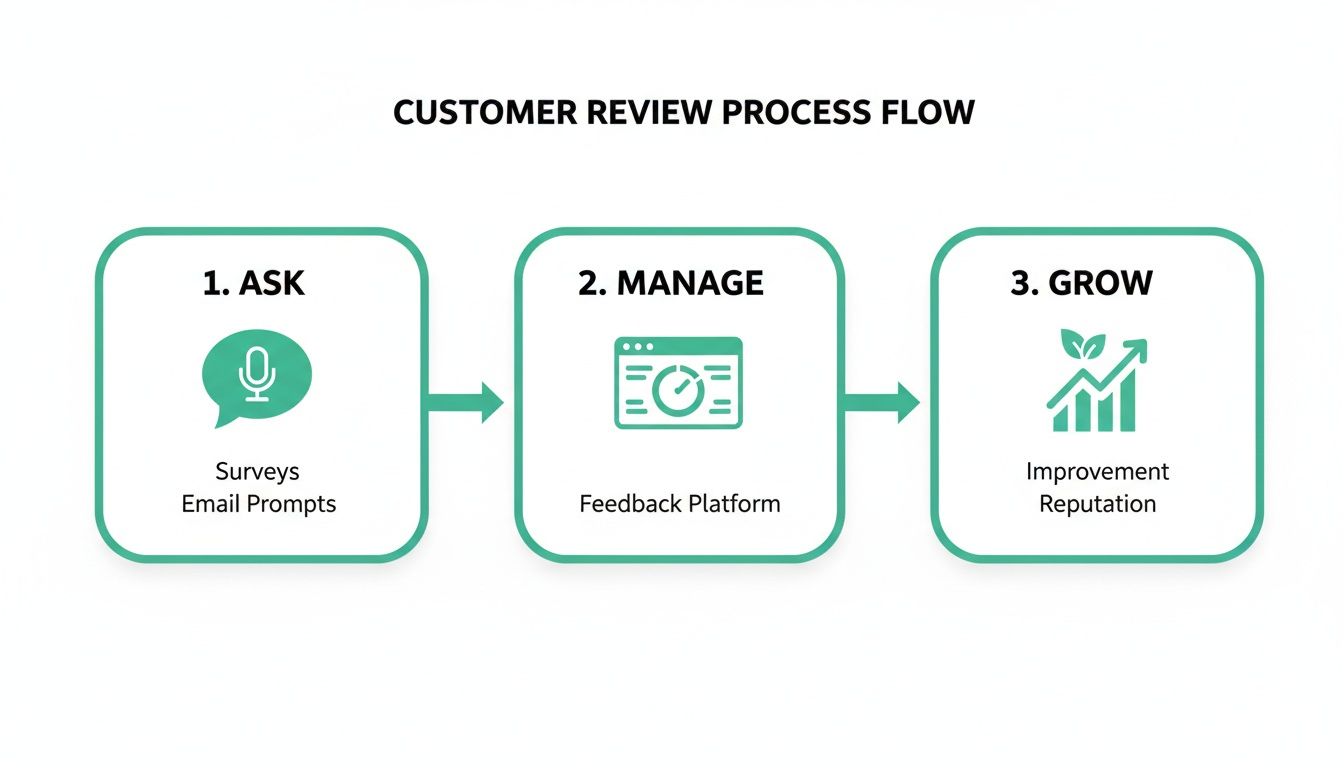
This process shows that getting more reviews isn't a one-and-done task. It's a continuous loop of asking for them, managing the responses, and using that feedback to build a stronger reputation.
Leveraging Advanced Analytics and Dashboards
You can't manage what you don't measure, and that's doubly true when you're juggling hundreds of locations. The standard GBP Insights just won't cut it for a large brand. You need advanced tools that give you a bird's-eye view of your entire local search footprint.
Platforms with ranking heatmaps are a game-changer. They visually show you where each store ranks for key search terms across different neighborhoods, instantly highlighting where you're invisible and where you have opportunities.
A good multi-location dashboard pulls all your performance data into one place. This lets you compare city-by-city performance, spot your top-performing stores, and figure out why others are lagging behind—all without getting buried in spreadsheets. This data-driven approach is the only way to make smart, strategic decisions that drive real growth at scale.
Your Top Google Places SEO Questions, Answered
If you're trying to master local SEO, you've probably got questions. The world of Google Places and Google Business Profile is full of conflicting advice, and it’s easy to get stuck wondering what actually works.
I've rounded up the most common questions I hear from business owners and marketers. No fluff or complex theories here—just straight, practical answers to help you make smarter moves right away.
How Long Does It Take to See Results?
This is the big one, and the honest-to-goodness answer is: it depends.
That said, you can usually start seeing the needle move within 30 to 90 days. This is the typical timeframe for foundational work—like a fully built-out Google Business Profile and a solid base of citations—to kick in and produce some initial ranking improvements.
But getting to the top of the map and staying there? That's a longer game. For stable, top-of-the-pack rankings, you should realistically plan for three to six months of consistent effort. This period is all about building local authority by steadily gathering new reviews and earning those crucial trust signals. Factors like how fierce your local competition is and how consistently you work on it will always play a huge role.
Don't mistake a slow climb for a lack of progress. A great way to track early wins is with a visibility heatmap tool. It can show you granular, neighborhood-by-neighborhood improvements long before you hit that coveted #1 spot, proving your efforts are paying off.
Google Places vs. Google Business Profile
What's the real difference here? It's simple: Google Business Profile (GBP) is just the new and improved version of what used to be called Google Places.
Think of Google Places as the original platform for getting your business on the map. Today, Google Business Profile is the current, all-in-one dashboard you use to manage how your business shows up across Google Search and Google Maps.
While some old-school folks might still say "Google Places," every bit of your optimization work should be happening inside your GBP dashboard.
Do I Need to Give an SEO Platform GBP Access?
Not necessarily, and it’s important to know the difference in approaches. Many traditional SEO agencies will ask for manager-level access to your profile. This allows them to get in there and make direct changes, like updating your hours, tweaking your business description, or uploading new photos.
However, a newer wave of platforms operates differently by focusing on generating powerful "off-profile" ranking signals. Instead of editing your profile, they work to create genuine user engagement—think more clicks, direction requests, and even foot traffic from their network of apps.
This strategy boosts your rankings by demonstrating to Google that your business is popular and relevant in the real world, all without ever needing to log into your profile. It's a secure way to complement your on-profile efforts and improve local visibility.
What Is the Most Important Ranking Factor?
There’s no magic bullet. Anyone who tells you otherwise is selling something. Google’s local algorithm is really built on three core pillars:
- Relevance: How well does your business profile match what someone is searching for?
- Proximity: How close are you to the person searching right now?
- Prominence: How well-known and trusted is your business, both online and off?
A winning strategy has to hit all three. You could have the most relevant profile in the world, but with zero reviews, you'll fall flat on prominence. The businesses that truly dominate their local market build a balanced strategy that systematically optimizes for each of these core areas.
Ready to see how your local visibility stacks up? Nearfront provides live ranking heatmaps and multi-location dashboards to show you exactly where you're winning and where you're invisible. Learn more about our AI-powered local SEO platform and start turning local searches into real customers at https://nearfront.com.