Why Directories Belong In Your Local SEO Checklist
Small business directories work like free digital storefronts, popping up on every major map and search engine to capture local searches and drive foot traffic—without spending a dollar on ads. When listings sit half-finished, you’re essentially leaving customer inquiries on the table. Directories Are Digital Signposts that guide people straight to your front door.

Too many SMBs pour time into their websites and forget the directories that power maps, voice assistants, and search results. Here’s what you need to lock down first:
- Claim and verify your Google Business Profile and top directory listings.
- Keep your Name, Address, and Phone (NAP) info precise with regular audits.
- Merge or delete duplicates to maintain strong, consistent signals.
Directory Signpost Analogy
Think of each directory listing as a street sign outside your shop. One typo in the address and customers head in the wrong direction.
“A single corrected listing can unlock new customer inquiries and boost local discoverability.”
Spending just a few minutes on an audit can pay dividends in impressions, calls, and direction requests.
Directory vs Website Usage Among SMBs
Before you dive into action steps, take a look at how many businesses are actively managing directories compared to their websites:
| Platform Type | Active Management Percentage |
|---|---|
| Google Business Profile | 35% |
| Directories & Reviews | 15–17% |
| Websites | 71–73% |
As of mid-2025, only 35% of SMBs actively use Google Business Profile, 15–17% manage other directories, and 71–73% maintain a website. This gap highlights a clear opportunity: optimizing directory listings is a fast track to better local visibility.
This simple directory work drives real revenue—more impressions, more calls, and more foot traffic. Check out our guide on free Google Business Profile listings to get started.
Understanding Key Concepts

Small business directories are those online hubs where you pin your company’s Name, Address, and Phone—modern-day bulletin boards guiding customers right to your door. They feed structured details to search engines and map apps, forming the backbone of local search results.
Directories span from broad platforms to niche industry sites. For example, Google Business Profile, Yelp, Bing Places, and specialized listings each act like a signpost in a crowded town square:
- Claim your profiles on core platforms so you show up where people begin their search.
- Keep data consistent across entries; sloppy listings confuse customers and search bots alike.
- Perform regular audits to weed out old or duplicate entries before they drag your visibility down.
Why Directories Power Local Search
If the Local Pack is a puzzle, directories are the border pieces. They supply the NAP (Name, Address, Phone) details search engines treat as trust signals. When your information lines up across hundreds of sites, you’re far more likely to land in the top spots.
“Accurate directory listings are fundamental signals for Google’s local ranking algorithm,” notes a local SEO expert.
Little mistakes—like a wrong address or keyword-stuffed entries—can nudge you out of the Map Pack. That means fewer calls, fewer visits, and lost revenue. Maintaining citation consistency is like keeping a library’s catalog error-free—one typo and nobody finds the book they need.
Analogy Of Card Catalog
Picture a library with no index at all. Titles are stacked chaotically, and there’s no way to search. That’s what unmanaged directories look like online.
When every listing clicks into place, it creates a clear path for people and machines alike. This alignment matters most at scale. By 2025, there were between 31.7 million and 36.2 million small businesses in U.S. datasets, with 80%+ operating as nonemployer firms. California alone hosted over 4.2 million small businesses, while Texas and Florida each boasted multiple millions—underscoring how a single corrected listing can influence millions of local queries. Discover these small business statistics
- Claim and verify your profiles.
- Audit NAP details on each listing.
- Merge or remove duplicate entries.
- Monitor changes and update proactively.
Nearfront automates this entire workflow, syncing updates across every platform. Multi-location brands can focus on growth while keeping each listing spot-on.
Precision in your directory data builds a digital foundation that search engines reward every time.
Mobile search drives 84% of local visits. Directories also fuel voice assistants and map applications that customers rely on when they’re on the go. Plus, review counts and star ratings within those listings boost click-through rates—setting you up perfectly for the optimization steps ahead.
Exploring Key Aspects Of Directory Listings
Directory listings are the backstage crew powering your Map Pack visibility. Get one detail wrong, and it’s like a missing cue in a play—everything stalls.
Below, we break down the key elements:
- NAP fields that earn trust from algorithms and real customers alike.
- Category choices that match true local search intent.
- Photos and Metadata that signal activity and relevance.
- Structured Attributes that feed search engines richer context.
NAP Consistency And Trust Signals
Your Name, Address, and Phone (NAP) need to match perfectly everywhere. Picture a referee doubling as a tour guide—any mismatch confuses both Google and potential visitors.
For example, one neighborhood coffee joint saw 27% more calls simply by fixing a mismatched area code.
That rock-solid accuracy underpins every other optimization step.
“Accurate NAP is the cornerstone of Map Pack rankings,” a local SEO strategist reminds us.
Strategic Category Selection
Choosing the right categories is like shelving a book in its perfect library slot. Too broad and it’s overlooked; too narrow and it never gets found.
| Category Strategy | Benefit |
|---|---|
| Broad Default Category | May miss niche intent |
| Specific Secondary Category | Captures targeted search queries |
A dental clinic tagging both Dentist and Emergency Dental Services surfaces in everyday and urgent searches alike.
Photo And Metadata Optimization
Your images and metadata act like storefront windows online—clear, descriptive visuals invite clicks, vague ones push prospects away.
Try this three-step checklist:
- Write natural, keyword-smart alt text.
- Rename image files with local tags—think neighborhood or city.
- Add captions where platforms allow them.
On top of that, with monthly new business formations hitting 478,800 in 2025—a 435% jump since 2004—and about 1.28 million openings versus 1.13 million closures, early listing work is a high-ROI move. Learn more about small business formation trends.
Role Of Structured Attributes
Structured attributes are the fine print that searchers love. They clarify what you offer and how you welcome customers.
- Amenities tags (wheelchair access, outdoor seating) help filter for specific needs.
- Service Options cover takeout, delivery, or in-store experiences.
- Payment Methods (credit cards, contactless) reduce friction at checkout.
Adding the right attributes is like posting clear signposts in front of your store.
Quality Over Quantity Myth
Fewer, stronger listings beat dozens of weak ones every time. A boutique café cracked the Map Pack after cleaning up duplicates and fixing alt text on just three high-authority directories.
Focus on relevance and authority, not volume, to get noticed by local search algorithms.
This streamlined network slashes noise and boosts impact.
Next Steps And Best Practices
- Target directories with high domain authority first.
- Run a quarterly audit to keep NAP and categories on point.
- Track image and metadata performance each month and adjust accordingly.
How Nearfront Supports Listings
Nearfront automates the grunt work across top small business directories:
- Live ranking heatmaps that reveal listing gaps.
- Alerts for duplicates or outdated information.
- Bi-weekly snapshots showing before-and-after improvements for each location.
With smarter listing management, small businesses climb the Map Pack and turn clicks into real visits. Ready to see it in action? Start optimizing today with Nearfront.
Actionable Steps For Citations And Listing Audits
Building a strong citation network feels a lot like laying bricks one by one: it takes patience, care, and the right materials. Each properly formatted directory entry becomes a solid block in your local SEO foundation. Below, you’ll find hands-on steps to audit your listings and keep everything perfectly aligned.
Identifying Top Directories
Before you dive in, focus on the platforms that really move the needle:
- Google Business Profile commands the lion’s share of local searches and earns you a spot in the Map Pack.
- Yelp draws in review-driven customers who trust star ratings above all else.
- Bing Places connects you with Windows users and voice assistant queries.
- Facebook Business brings social proof and seamless post updates.
- Niche hubs (think chamber of commerce or industry-specific directories) reach the audiences you care about most.
High-authority directories feed into core data aggregators and search engines. Those trust signals carry more weight than dozens of low-traffic listings.
Claiming And Verifying Listings
First, hunt down any existing listings on the key platforms to make sure no one else can tamper with your profile. Quick verification keeps your information locked in and accurate.
- Search your exact business name along with address and phone number to spot unclaimed profiles.
- Click “Claim” or “Own This Business,” then pick a verification method—phone call, postcard code, or email link.
- Complete verification within 14 days to secure control and avoid removal.
Keep your NAP (Name, Address, Phone) details crystal clear, with no extra abbreviations or mismatched punctuation. Consistency here prevents little hiccups that can derail Map Pack rankings.
Configuring Name And Address Templates
Saving time—and preventing typos—starts with a master template for your core business details. A consistent format can cut manual errors by up to 70%.
- Business Name: Use the official name exactly, no extra keywords.
- Address Line 1: Street number and name as USPS records it.
- Address Line 2: Suite or unit information, if needed.
- City, State, ZIP: Match local postal conventions exactly.
- Phone Number: Stick to a single format, like (123) 456-7890, everywhere.
Store this template in a shared doc or spreadsheet—your single source of truth for every directory update.
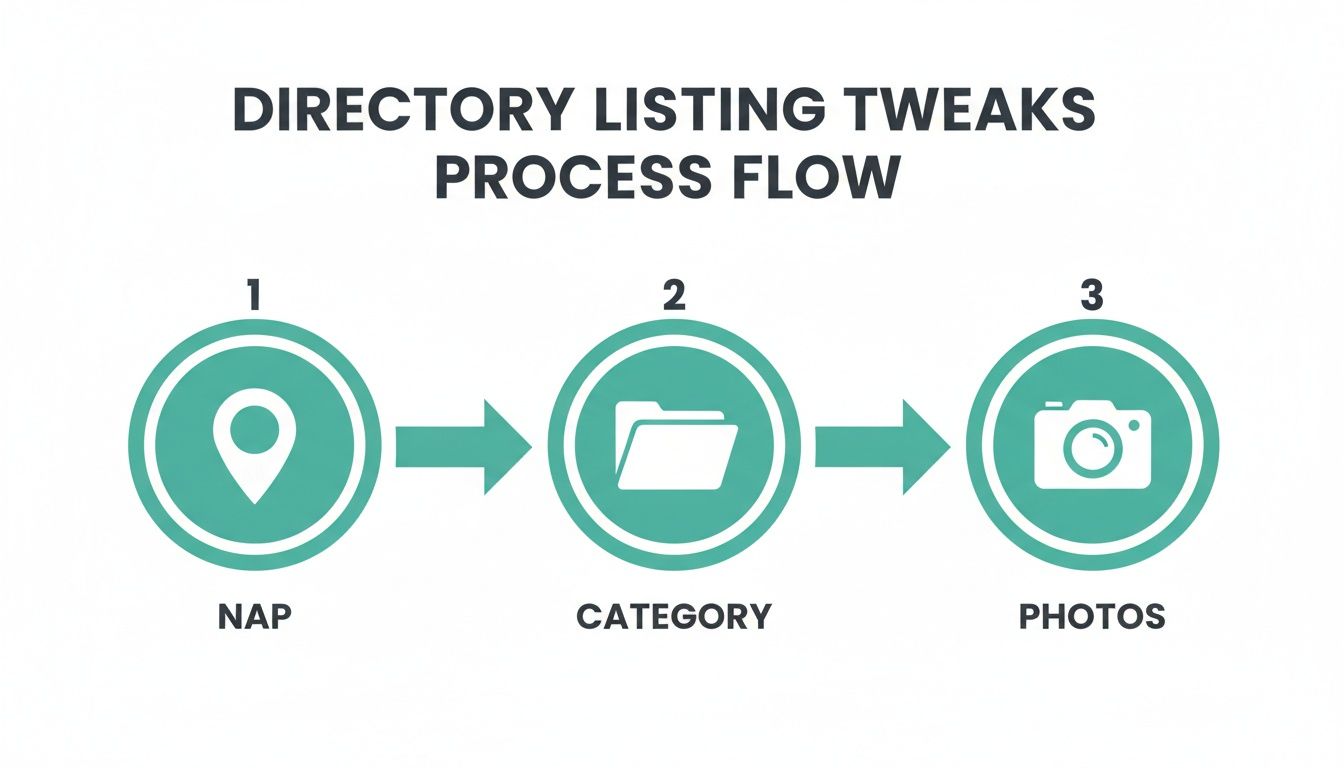
The infographic above shows how fine-tuning your NAP, selecting the right categories, and updating photos all interconnect. It’s a step-by-step flow that strengthens your local presence.
Running A Full Citation Audit
Think of a citation audit like a health check for your listings. It uncovers mismatches, missing entries, and duplicate profiles that weaken your ranking power.
- Export your current listings using free tools like Google My Business Export or paid platforms such as BrightLocal.
- Compare each entry against your master NAP template in a spreadsheet.
- Highlight discrepancies or incomplete categories for immediate fixes.
- Assign a team member to each record and set clear deadlines.
Aim to audit your top 20 directories monthly and review the rest every quarter. That frequency keeps small errors from piling up.
Syncing Changes Across Aggregator Sites
Once your updates are locked down, broadcast them through major data aggregators so smaller directories inherit the correct details automatically.
- Push bulk updates via Data Axle, Factual, and Neustar Localeze.
- Keep an eye on aggregator dashboards and flag any errors.
- Follow up within 1–2 weeks on manual reviews or conflicts to ensure consistency.
Troubleshooting Duplicate Entries
Duplicate listings split your citation authority and confuse both customers and search engines.
“Duplicate listings can reduce local search visibility by up to 30%,” warns a local SEO specialist.
- Search for variations in address and phone formats to spot duplicates.
- Merge or delete extra profiles using platform tools or by contacting support.
- Re-verify the surviving listing and run a quick follow-up audit.
Cleaning up duplicates restores your full citation power and makes your rankings more reliable.
Recommended Tools And Resources
Choosing the right toolkit speeds up audits and boosts accuracy. Free options handle light work, while paid platforms automate large data sets.
- BrightLocal: Exports and audits citations with error-tracking dashboards.
- Moz Local: Syncs updates to key directories and monitors duplicates.
- Yext: Central control for bulk edits and status reporting.
- Synup: Tracks listing health and sends real-time alerts.
- Google Sheets or Excel: Perfect for manual NAP comparisons and changelog tracking.
Review tool outputs weekly and fold updates into your master audit log.
Best Practices For Citation Maintenance
- Perform regular audits and log every update.
- Enable alerts for listing edits.
- Train staff on category assignments and photo quality.
- Sync data monthly to keep everything fresh.
Consistency here pays off in long-term visibility gains.
For ongoing support and tips on managing multiple locations, check out our guide on local presence management.
Managing Multi Location Directories And Measuring Performance
Scaling directory listings across numerous outlets can feel like trying to herd cats without a map. You want consistency, yet every location has its own quirks.
By setting a simple framework, you transform that chaos into clear priorities and repeatable actions.
- Rank each spot by local search volume, competitive density, and budget.
- Use a single dashboard to roll out mass updates, while giving store managers room to add unique photos and offers.
- Decide whether a top-down or bottom-up approach suits your team’s style.
With these steps in place, you’re never left wondering which store demands your focus first.
Centralized Dashboard Benefits
A centralized dashboard acts like control tower for your directory network. From one screen, you deploy updates and catch errors before they escalate.
- Bulk Edits let you update NAP details, categories, or images across all locations in minutes.
- Template Workflows standardize routine tasks, cutting training time and preventing mistakes.
- Real-Time Alerts flag duplicates, unverified listings, or data mismatches before they hurt your visibility.
This consistency pays off with both search engines and customers. Of course, you’ll need an initial investment in tools and some team training to make it hum.
Decentralized Model Challenges
Handing local managers more freedom can spark creativity—custom promotions, seasonal photos, neighborhood vibes. But it also carries risks.
- Data Mismatches: Small tweaks can lead to inconsistent NAP details that confuse search engines.
- Scaling Headaches: Managing dozens of unique workflows strains your oversight.
- Training Demands: Every local lead must master the process, from verifying edits to responding promptly.
Without strict guidelines and regular audits, that flexibility can drift away from brand standards.
Centralized vs Decentralized Listing Management
Before you choose a path, weigh the upside of having a single command center against the freedom of local teams. This table lays out the key benefits and pitfalls.
| Approach | Benefits | Challenges |
|---|---|---|
| Centralized | Efficiency with bulk edits and standardized workflows | Initial setup costs and a learning curve |
| Decentralized | Local relevance through customized promotions and content | Data inconsistencies and oversight gaps |
Use this comparison to match your model with your team’s size and operational style.
Measuring Directory Performance
Directory listings only earn their keep when tied to real business metrics. Track what truly matters:
- Impressions: How often your listing pops up in local searches.
- Calls: Phone inquiries captured via click-to-call actions.
- Driving-Direction Requests: Map requests to your doors.
- Website Clicks: Traffic driven from your profile link.
Plot these numbers to see which locations—and which directories—move the needle.
Integrating Analytics Into Google Analytics
Link your directory tool to Google Analytics so all performance data lives in one place. Append UTM parameters to your listing URLs; you’ll know exactly which directories send traffic your way.
Then pull impressions and clicks via API into custom dashboards for deeper insight.
Setting Up A Simple ROI Dashboard
Turn raw figures into clear, budget-worthy insights.
- Define KPIs like cost per call, cost per direction request, and revenue per visit.
- Tally platform fees, tool subscriptions, and staff hours spent on listings.
- Visualize everything in a BI solution such as Google Data Studio or Tableau.
- Set benchmarks and alerts to flag underperforming locations.
- Review monthly and reallocate resources toward your best-performing listings.
This checklist ensures you zero in on the highest-return activities.
Using Call Tracking For Revenue Attribution
Assign unique call-tracking numbers to each directory so you can trace inbound calls back to their source.
“Call tracking revealed that 25% of local inquiries came directly from Yelp listings.”
Connecting calls to actual sales events turns directory work into a clear revenue driver.
Prioritization Strategies For Multi Location Brands
When every minute counts, rapid triage is essential:
- High Search Volume Areas: Target markets with over 1,000 local searches per month.
- Competitive Density: Identify under-served regions where you can gain ground faster.
- Budget Allocation: Balance quick wins against long-term potential.
This approach guarantees you tackle the biggest opportunities first.
Recommended Directories And Use Cases
Not every directory suits every business. Here are top picks by need:
- Google Business Profile for universal local coverage and Map Pack visibility.
- Yelp to engage review-focused customers and strengthen trust signals.
- Bing Places to capture Windows users and voice-assistant queries.
- Facebook Business for social proof and real-time content updates.
- Industry-specific sites like TripAdvisor (hospitality) or Vitals (healthcare) for narrow audiences.
Explore our best local SEO tools guide for a deep dive into directories, tracking methods, and side-by-side tool comparisons.
Nearfront’s platform plugs into key sites, automates updates, and surfaces real-time metrics. With live heatmaps and bi-weekly reports, you’ll always know where to steer next.
“Automating directory updates saved our client 20 hours per month, freeing them to craft local promotions.”
By blending centralized oversight with on-the-ground insights, directory listings scale into a reliable, data-driven channel.
Custom Reporting And Alerts
Customize reports and automate alerts to catch issues before they escalate.
- Decline Alerts: Get notified if impressions fall by more than 10% week-over-week.
- Edit Notifications: Know instantly when a listing is changed externally.
- Performance Triggers: Launch workflows when clicks or calls exceed your set thresholds.
Proactive monitoring keeps small hiccups from snowballing.
Case Study Example
Consider a café chain with 12 locations across two states. Managers spent 48 hours each month hunting down duplicate listings. After switching to a central dashboard:
- Update time dropped to 17 hours per month.
- They recorded 2,400 extra driving-direction requests and 1,000 more calls.
- Direction requests jumped by 30% in just three months.
This real-world story shows how measured directory management can drive local engagement at scale. Use these tactics to turn your listings into a sustainable growth engine across every market you serve.
Conclusion And Next Steps
Directories aren’t just another item on your to-do list—they’re like local signposts guiding customers straight to your door. When you get them right, they build visibility and trust in equal measure.
Now, let’s look at the high-impact actions you can kick off today.
- Claim and verify your Google Business Profile and other core listings.
- Audit NAP details on the top 20 directories every month, then circle back to the rest quarterly.
- Use bulk templates or an AI tool to push updates across all locations without manual drudgery.
Starter Directory List
- Retail: Google Business Profile, Yelp, Bing Places
- Healthcare: Vitals, Healthgrades, Google Business Profile
- Hospitality: TripAdvisor, Booking.com, Google Business Profile
If you oversee several locations, a central dashboard can cut your update time by up to 60% while still preserving each branch’s unique flair. That frees you up to focus on promotions instead of endless edits.
“A central directory dashboard can reclaim dozens of hours per month and boost local presence.”
Use a simple 30-60-90 day roadmap to keep the momentum rolling:
- Days 1–30: Claim listings, fix NAP mismatches, verify key directories
- Days 31–60: Expand to niche sites and gather fresh reviews
- Days 61–90: Analyze impressions, calls, and directions; refine your priorities
When To Scale Support
Handling citations by hand works when you’ve got only a couple of locations. As you grow, complexity skyrockets. Here’s a quick guide:
- Manual Work: Low cost, ideal for up to 3 locations; beyond that, time drains fast
- Local SEO Tool: Moderate investment; offers automation, bulk edits, and alerts for 10+ locations
- Agency Partner: Best for strategic oversight, custom reporting, and managing 20+ outlets
In the space between DIY tools and full-service agencies, Nearfront delivers automated updates, live ranking heatmaps, and bi-weekly snapshots—so you stay ahead without micromanaging every listing.
“73% of consumers rely on directory accuracy before visiting a business, so you can’t afford to let listings slip.”
Small tweaks today compound into significant growth in local search tomorrow.
Always stay proactive. Subscribe to our Resource Hub and schedule your first audit now. Revisit your directory strategy each quarter to adapt as algorithms shift, and connect with peers in our community forum for ongoing insights.
FAQ
How Do I Choose The Right Small Business Directories For My Niche?
Start by mapping where your customers hang out online. What websites, forums, or apps do they visit when they need services like yours? That insight points you to the platforms that really matter.
Next, check each site’s domain authority and organic traffic before you commit. For instance, wellness clinics often gain traction on Vitals and Healthgrades, while restaurants see better engagement on TripAdvisor and OpenTable.
What Listing Mistakes Should You Avoid?
Even small slip-ups can derail your local SEO. Keep an eye out for:
- Inconsistent NAP details that confuse search engines
- Keyword stuffing in your business name
- Duplicate profiles splitting your citation signals
- Missing or low-quality images, which hurt click-through rates
- Ignoring customer reviews and feedback
How Can You Maintain Citation Consistency At Scale?
You’ll need a single source of truth for your official NAP format. Many brands start with:
- A master spreadsheet or centralized dashboard
- Automated updates via data aggregators to sync changes across hundreds of listings
- Quarterly audits with alert triggers to flag deviations instantly
How Do You Measure Success Without Drowning In Data?
Zero in on metrics that tie directly to customer behavior:
- Impressions, clicks, calls, and direction requests
- UTM tags to trace directory referrals in Google Analytics
- A streamlined dashboard highlighting trends and alerting you to spikes or drops
How Often Should You Review Directory Listings?
Consistency pays off. Aim for:
- Monthly spot checks on your top sites
- Quarterly reviews of niche or industry-specific directories
- A deep annual audit—especially after major changes like a rebrand
Ready to see clear results? Sign up for Nearfront (https://nearfront.com) and automate directory management to boost your local SEO. Get started now for free today.