Think of your business listings as the digital version of your storefront sign. They're what make you visible to people in your neighborhood who are actively looking for what you sell. For any brick-and-mortar business, getting this right is the difference between being found and being invisible.
Why Your Business Listings Are Mission Critical in Local Search
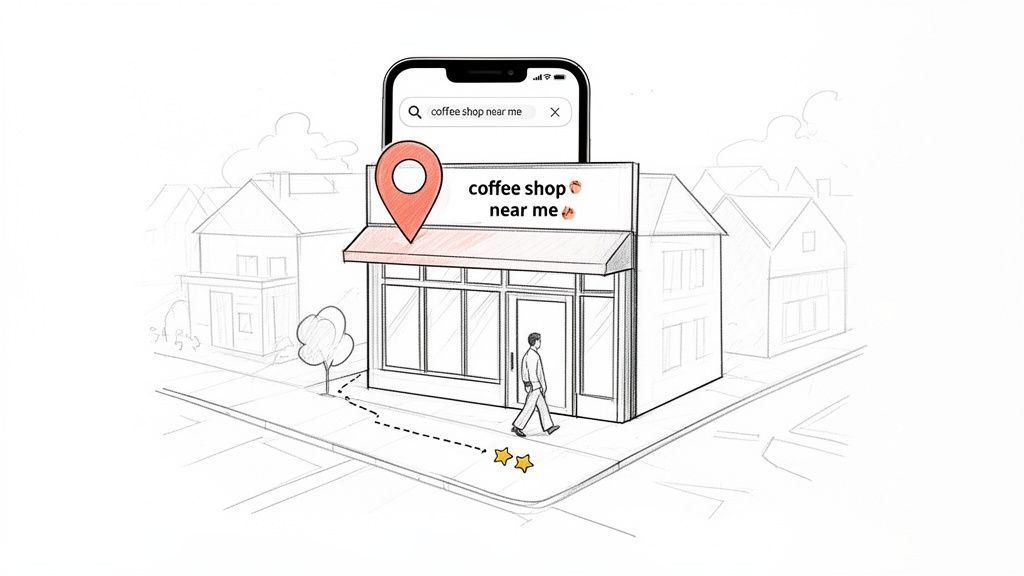
The way people find local businesses has fundamentally changed. Nobody is grabbing a phone book anymore. Instead, they’re pulling out their phones and typing in things like "best pizza near me" or "urgent care open now." That initial search is now the first, and most important, step in the customer's journey.
This is a massive opportunity if you're ready for it. Your listings on platforms like Google, Yelp, and Apple Maps are your digital storefronts. They work 24/7, catching the eye of customers right in your service area. These listings are the foundational data points search engines use to figure out who you are, what you offer, and where people can find you.
The Bridge from Screen to Storefront
Every single one of your business listings is a digital breadcrumb. When a potential customer is nearby and searching, these breadcrumbs lead them straight to your door. But if that information is wrong or missing, the trail goes cold. It’s a frustrating experience for the customer and a red flag for search engines.
And this isn't just a theory; the numbers are staggering. Google handles over 3.5 billion searches every single day, and a whopping 46% of them have local intent. That’s around 1.6 billion searches where people are looking for a business right now, right here.
Even better, Google's data shows these searches drive 1.5 billion physical location visits every month. This is clear proof that a solid local SEO strategy is the essential bridge connecting a customer’s screen to your real-world storefront. You can dig into more of these local search trends to see just how powerful this is.
The real goal of local SEO isn’t just about getting found; it’s about getting chosen. A well-optimized listing gives customers the critical info they need—hours, reviews, photos, services—to pick you over the competitor down the street.
Building Trust Through Consistency
In the world of local search, consistency is king. When your business's Name, Address, and Phone Number (NAP) are identical everywhere online, you're sending a powerful signal of reliability to Google. This consistency builds authority and is a major factor in getting you ranked in the coveted Google Map Pack.
Why does it matter so much? Because every little discrepancy creates doubt.
- An old address sends a customer to the wrong place, guaranteeing a bad experience.
- An incorrect phone number costs you a sale when someone tries to call.
- Conflicting business hours result in a wasted trip and an angry one-star review.
Each of these mistakes damages your reputation and tells search engines your business might be untrustworthy, pushing you further down the results page.
On the flip side, when you maintain perfectly consistent listings across the web, you solidify your digital footprint. It becomes dead simple for customers to find you and for Google to confidently recommend you. This is the absolute cornerstone of winning in the neighborhoods you serve.
Auditing Your Digital Footprint to Uncover Listing Inconsistencies
Before you jump into optimizing anything, you have to know where you stand. This is where most businesses go wrong. They start building on a shaky foundation.
Inconsistent business data is probably the single most damaging and common issue we see tanking local rankings. Even one old phone number floating around on a dusty directory, a previous address, or a slight variation in your business name creates confusion. That confusion kills the trust Google has in your business, making it hesitant to show you in the coveted Map Pack.
The goal here is simple: hunt down every single inconsistency and establish one, single source of truth for your business information. This is non-negotiable.
The Core of Your Audit: NAP Consistency
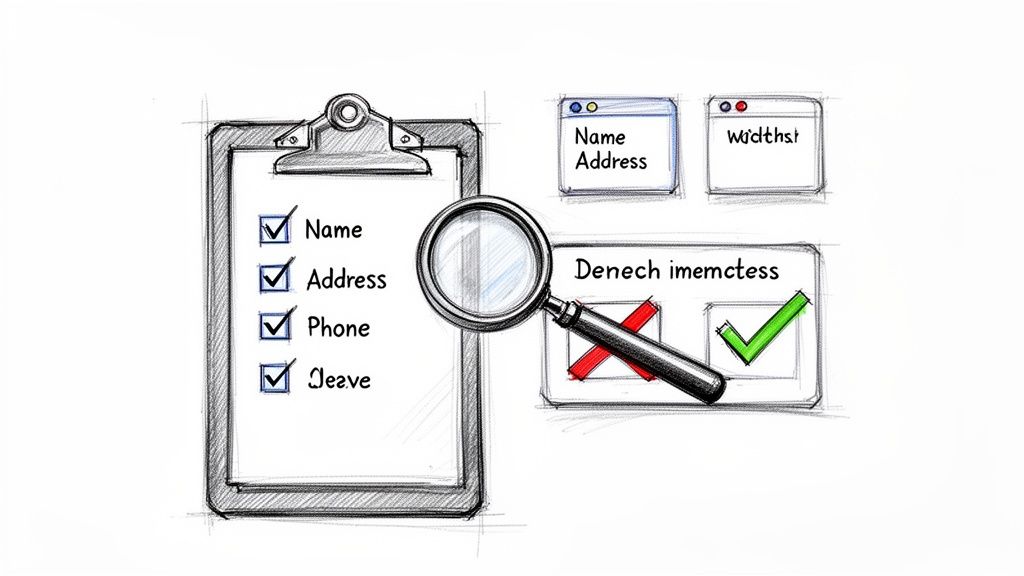
The absolute bedrock of your local identity is your NAP—Name, Address, and Phone Number. It has to be perfect. Everywhere.
Minor details that seem trivial to you are massive red flags for search engine crawlers. Think "Main Street" vs. "Main St." or "(555) 123-4567" vs. "555.123.4567". To an algorithm, those can look like two different entities.
Your first job is to decide on a canonical version of your NAP. This is the one true format you'll use from this day forward, no exceptions. Write it down. Share it with your team. Make it the law.
Building Your Audit Checklist
Don’t just start Googling your business name and hoping for the best. That’s a recipe for missed opportunities and wasted time. You need a system.
Fire up a spreadsheet to track everything. I'm talking columns for the directory name, the URL to your listing, and the accuracy of each piece of data you check.
Here are the non-negotiables to verify on every single platform:
- Business Name: Is it identical to your official, canonical name?
- Physical Address: Does it match down to the suite number and zip code? No variations.
- Primary Phone Number: Is the number and its format precisely correct?
- Website URL: Does it point to the right homepage or, even better, the specific location page?
- Business Hours: Are your open and closing times 100% accurate for all seven days?
- Business Category: Is your primary category correct? Is it as specific as it can possibly be?
A real audit isn't just about spotting typos. It's about taking back control of your business's online identity. Every correction you make strengthens the signals you're sending to Google, proving that you're a legitimate, active, and trustworthy local business.
Where to Look Beyond Google
Your Google Business Profile is king, but it’s not the only player in the game. Your business information is scattered across a massive ecosystem of directories, data aggregators, and niche industry sites. These are your "citations," and they all add up.
Start with the big dogs, then drill down into the platforms that matter for your specific industry.
Key Directories and Platforms to Audit
| Platform Type | Examples | Why It Matters |
|---|---|---|
| Major Search Engines | Google, Apple Maps, Bing | These are the ground-zero sources for most local searches and GPS navigation. |
| General Directories | Yelp, Foursquare, Yellow Pages | High-authority sites that often rank on their own and feed data to other platforms. |
| Social Media | Facebook, Instagram, LinkedIn | Profiles here are constantly crawled and serve as powerful validation points for Google. |
| Industry-Specific | TripAdvisor (hospitality), Zocdoc (medical) | Niche directories signal true relevance and expertise within your specific field. |
This whole process can be a real grind, especially if you have more than one location. Once you’ve flagged all the errors, the real work of claiming and correcting each listing begins. Our guide on performing a comprehensive citation clean-up dives deeper into how to manage that process without losing your mind.
Documenting every error now will make the next phase—optimization—infinitely smoother and more impactful.
Optimizing Listings to Dominate the Google Map Pack
Claiming your Google Business Profile is just the ticket to the game. Actually winning—and landing in that coveted Google Map Pack—takes a whole different level of strategy. This isn't about just filling in the blanks; it's about turning your profile into a dynamic, compelling resource that Google's algorithm and your future customers can't ignore.
Getting into those top three spots isn't just a vanity metric. For any multi-location brand, it's a strategic necessity. A staggering 86% of customers fire up Google Maps to find local businesses, and the top result alone vacuums up 24.4% of all clicks.
Even more telling? A massive 42% of local searches end with a click directly on the Map Pack. The payoff is real: businesses with meticulously optimized profiles see 70% more visits, and those local searches convert at an incredible 80% rate. If you want to dig into the numbers, check out these powerful local SEO stats that prove why this effort is so critical.
Choosing Categories That Capture Intent
Your business category is one of the heaviest-hitting ranking signals in your entire GBP. It’s how you tell Google exactly what you do, so it can match you with the right searches. Nailing your primary category is non-negotiable.
Don't be generic. If you run a steakhouse, don't just settle for "Restaurant." Get specific and choose "Steak House." If you're known for deep-dish pizza, "Pizza Restaurant" is a good start, but adding "Deep-Dish Pizza Restaurant" as a secondary category is even better.
Always think from the customer’s point of view. What terms are they actually typing into the search bar?
- Primary Category: This should be the single most accurate description of your core business. It’s your main identity.
- Secondary Categories: You can add up to nine more to cover everything else you offer. A coffee shop, for instance, might also add "Bakery," "Sandwich Shop," and "Cafe" to capture a wider net of relevant searches.
Writing a Business Description That Converts
You have 750 characters for your business description—make them count. While it’s not a direct, heavy-hitting ranking factor, it's a massive conversion factor. This is your chance to tell your story, highlight what makes you different, and weave in important keywords naturally.
Forget keyword stuffing. Instead of a robotic line like "We sell the best coffee, coffee beans, and coffee drinks," go for something that connects: "Your friendly neighborhood spot for artisanal coffee, freshly roasted beans, and expertly crafted espresso drinks. We've been serving the community since 2015."
Use this space to answer a potential customer's unspoken questions and give them a compelling reason to choose you over the competition.
Pro Tip: Your most important information belongs in the first 250 characters. That's the part people see in the Knowledge Panel before they have to click "More." Make it punchy and persuasive.
Leveraging GBP Features for Maximum Engagement
An optimized GBP is an active GBP. Google rewards businesses that use its full suite of features to keep their profiles fresh, engaging, and genuinely helpful. Using these tools signals that you're an active, attentive business.
Google Posts
Think of Posts as mini-ads or social media updates that live right on your search listing. They're perfect for:
- Announcing new products or services.
- Promoting special offers and events.
- Sharing company news or recent blog articles.
Posts typically expire after seven days (unless they're tied to an event), so maintaining a consistent posting schedule is key. It shows Google—and your customers—that your business is alive and well.
Questions & Answers
This feature is a goldmine for understanding what your customers are thinking. But here's the catch: anyone can ask a question, and anyone can answer it. It is absolutely critical that you, the business owner, are the first one to respond with accurate information.
You can even get ahead of the game by populating this section yourself. Ask and answer the most common questions you get every day: "Do you have free Wi-Fi?" or "Is parking available?" Answering these upfront removes friction and builds immediate trust.
To help you nail every single element, from the basics to the advanced tweaks, we've put together a comprehensive checklist.
| Google Business Profile Optimization Checklist |
| :— | :— | :— |
| Optimization Area | Action Item | Impact Level |
| Core Information | Verify NAP consistency across all listings. | High |
| Categories | Select the most specific primary category possible. | High |
| Business Description | Write a compelling, keyword-rich description (front-load key info). | Medium |
| Photos & Videos | Upload high-quality, geotagged images and videos regularly. | High |
| Google Posts | Publish weekly updates, offers, or event posts. | Medium |
| Reviews | Generate a steady stream of new reviews and respond to all of them. | High |
| Q&A Section | Pre-populate with common questions and monitor for new ones. | Medium |
| Products/Services | Add a detailed list of your products or services with descriptions. | Medium |
| Attributes | Select all relevant attributes (e.g., "Wheelchair accessible," "Free Wi-Fi"). | Low |
This table gives you a starting point. For a deeper dive into making every part of your profile a high-performing asset, check out our complete Google Business Profile optimization checklist which covers these elements and many more in detail.
The Undeniable Power of Customer Reviews
Reviews are the lifeblood of local SEO. Period. They influence your rankings, build powerful social proof, and directly impact whether a customer decides to walk through your door. A steady flow of positive, recent reviews tells Google that your business is not only popular but also trustworthy.
Your goal shouldn't be to just get reviews—it's to build a repeatable system for generating them. Make it easy for happy customers to share their feedback by using QR codes on receipts, sending links in follow-up emails, or even placing simple signage in your store.
Responding to every single review is just as important. A thoughtful response to a positive review shows you appreciate your customers. And a professional, helpful response to a negative one demonstrates that you value feedback and are committed to making things right—a signal that can often win over even the most skeptical prospects.
Scaling Your Local SEO Strategy Across Multiple Locations
Managing business listings for a single shop is one thing. Scaling that effort across ten, fifty, or hundreds of locations? That’s a whole different ball game. It demands a repeatable system, not just a to-do list. The goal shifts from manual, one-off updates to creating an efficient process that ensures every single location has a powerful and accurate digital presence.
The real trick is balancing brand consistency with local flavor. You absolutely need a centralized strategy to maintain control over your brand identity. But you also have to empower individual locations to connect with their unique communities. A one-size-fits-all approach just falls flat when you’re trying to win neighborhood by neighborhood.
This is where the debate between manual management and specialized software heats up. For a handful of locations, sure, a spreadsheet can get the job done. But once you hit 10-15 locations, it becomes an operational nightmare filled with human error and wasted hours.
This is the core strategy for owning the Google Map Pack. It's a loop of optimization, review management, and building authority.
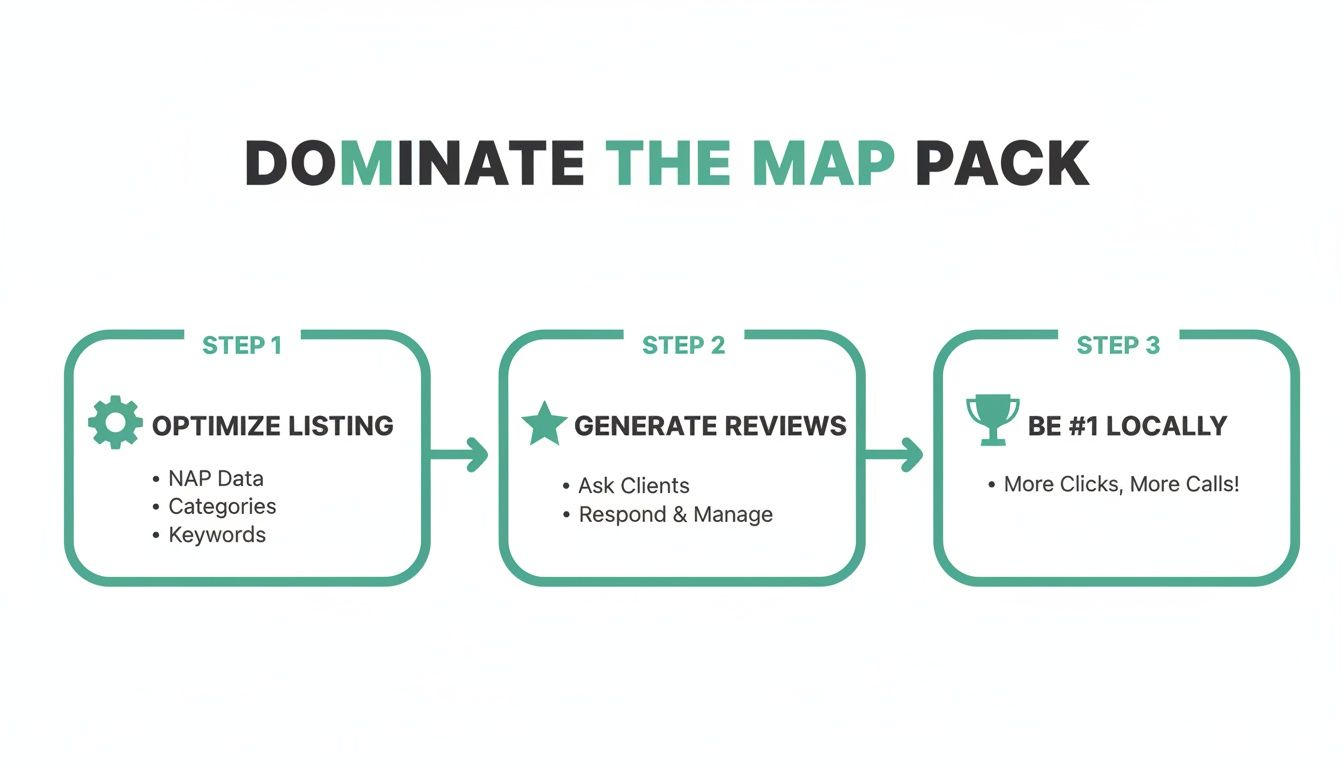
As the flowchart shows, consistent optimization and a steady stream of reviews are the foundation for map pack dominance and real-world visibility.
Choosing Your Management Approach
Listing management software was built to solve this exact scaling problem. These platforms act as a central dashboard, letting you push updates to dozens or even hundreds of directories at once. This guarantees your Name, Address, and Phone Number (NAP) data is consistent everywhere—a massive win for your local SEO and business listings.
But automation isn't a silver bullet. While software is a lifesaver for data consistency, it can miss that crucial local touch. The best strategies I've seen use a hybrid approach:
- Centralized Control: Use software to manage the core data—NAP, business hours, and primary categories—across all locations. This is non-negotiable.
- Localized Engagement: Empower local managers to handle the things that require a human touch. Think responding to reviews, uploading recent photos of their specific store, and creating Google Posts about community events.
This balance keeps your brand tight while fostering the authentic local connections that customers—and Google—love.
Workflows for Multi-Location Success
To make this hybrid model work, you need clear, documented workflows. Without a system, you get chaos.
Think about what happens when a location's hours change for a holiday. A solid workflow would have the local manager submit the change through a central form, which then gets pushed out via your management software. This stops one-off, unapproved changes that create the data inconsistencies that kill your rankings.
The key is to templatize as much as you can while leaving room for local personality. Create templates for review responses, Google Post ideas, and photo guidelines, but encourage managers to adapt them for their specific market.
Another critical workflow is managing reviews at scale. You can't have one person at corporate trying to respond to reviews for 100 different stores. It just doesn't work. Equip local managers with the training and tools they need to respond thoughtfully and fast. After all, 95% of consumers use reviews, and seeing a manager engage directly builds immense trust.
For a deeper dive into the specific challenges and solutions, our guide on local SEO for multiple locations lays out more actionable strategies.
Creating Content That Resonates Locally
Finally, scaling isn't just about data—it's about content. Each of your locations exists in a unique community, and your content has to reflect that.
Encourage each store to create location-specific content. This doesn't have to be a heavy lift. It can be as simple as:
- Highlighting local partnerships: A Google Post featuring a collaboration with another local business.
- Showcasing the team: Photos of the staff that put a human face on the location.
- Event participation: Sharing pictures and updates from local farmers' markets, festivals, or charity events.
This type of content sends powerful relevance signals to Google. It shows that your business is an active, engaged part of the local fabric. It turns each of your locations from just another pin on the map into a genuine community hub—which is exactly what Google wants to promote.
Measuring Success and Proving ROI in Local SEO
All that work optimizing your business listings has to mean something, right? So how do you actually prove it’s moving the needle for your business? The answer is tracking the right metrics—the ones that connect directly to your bottom line, not just vanity numbers that look pretty in a report.
Success in local SEO and business listings isn't just about snagging the #1 spot for a single keyword. It’s about being consistently visible where your customers are searching and turning that visibility into real actions: phone calls, website clicks, and most importantly, footsteps through your door.
Moving Beyond Vanity Metrics
It's so easy to get distracted by metrics like "impressions" or "search views." And while they show that people are seeing your listing, they don't tell you the whole story. A thousand impressions don't mean much if they don't lead to a single customer action.
True ROI comes from tracking KPIs that show genuine customer engagement and intent. These are the numbers that prove your local SEO efforts are directly fueling business growth.
Your focus should be on the actions that bridge the gap between someone searching online and walking into your store. When you can show a clear, undeniable lift in these activities, justifying your investment becomes a no-brainer.
The KPIs That Truly Matter
To get a real handle on your success, you need a dashboard of performance indicators that reflect what actual customers are doing. These KPIs paint a clear, data-backed picture of how your listing optimizations are paying off.
Here are the core metrics you should be watching like a hawk:
- Growth in Map Pack Rankings: This is your primary visibility metric. Are you showing up in the top three results for your most important keywords? And where are you showing up? Your ranking can change dramatically from one neighborhood to the next.
- Increase in Phone Calls: A customer calling you straight from your Google Business Profile is a hot lead. Tracking the volume of these calls is a direct measurement of how well your listing is converting searchers into potential customers.
- More Direction Requests: When someone clicks that "Directions" button, it's one of the strongest buying signals you can get. They are literally planning a trip to your physical location.
- Higher Website Clicks: This tracks how many users are clicking from your listing to your website, usually to dig for more info, check out a menu, or book an appointment online.
These actions are the real currency of local SEO. They represent real people taking real steps toward becoming your next paying customer.
The ultimate goal isn't just to be found; it's to be chosen. Tracking action-oriented KPIs like calls and direction requests proves that your optimized listings are not only visible but also compelling enough to drive customer decisions.
Visualizing Performance with Advanced Tools
For brands with more than one location, trying to understand performance across different service areas is a huge headache. A business might rank #1 when searched from a block away but be totally invisible just a mile down the road. This is where modern tools give you an indispensable edge.
Platforms like Nearfront were built to solve this exact problem. Instead of looking at a single, static ranking number, you can use live ranking heatmaps to see your visibility across entire cities. These maps show you, block by block, where you’re strong and where your competitors are eating your lunch.
This kind of granular insight is an absolute game-changer. It lets you:
- Pinpoint Underperforming Areas: See exactly which neighborhoods need more focused SEO attention.
- Track Competitor Movements: Watch how competitor rankings shift over time and hit back with targeted strategies.
- Generate Clear Reports: Create powerful before-and-after snapshots that visually prove ranking improvements to stakeholders.
Imagine showing a report where a neighborhood that was once a "dead zone" for your business is now a stronghold of top-three rankings. That’s how you demonstrate undeniable value.
Connecting the Dots to Foot Traffic and Revenue
The final piece of the puzzle is connecting your local SEO KPIs to what really matters: foot traffic and sales. While direct, one-to-one attribution can be tricky, you can draw some incredibly strong correlations.
By tracking your key metrics alongside your in-store traffic and sales data, you’ll start to see clear patterns emerge. For instance, did that spike in direction requests last month line up with a 15% increase in walk-in customers? Did a campaign that boosted your Map Pack rankings for "emergency vet" coincide with a rise in after-hours appointments?
This is how you build a powerful business case for your local SEO and business listings strategy. You shift the conversation from "we got more views" to "we generated more calls, drove more traffic, and increased revenue."
To tie it all together, here's a look at the most important metrics you should be tracking to measure the success of your local SEO strategy.
Key Performance Indicators for Local SEO
| KPI | What It Measures | Why It Matters | How to Track It |
|---|---|---|---|
| Map Pack Rank Velocity | The speed and consistency of ranking improvements for target keywords. | Shows the direct impact of optimization efforts on your most valuable digital real estate. | Google Business Profile Insights, Local Rank Tracking Tools (e.g., Nearfront) |
| Click-to-Call Volume | The number of users who tap the "Call" button on your business listing. | A direct measure of high-intent leads who are ready to engage with your business. | Google Business Profile Insights |
| Direction Request Growth | The increase in users requesting GPS navigation to your physical location. | The strongest indicator of a user's intent to visit your store or office in person. | Google Business Profile Insights |
| Local Search Discovery | The number of times your listing appeared from non-branded, discovery-based searches. | Demonstrates your ability to attract new customers who are looking for a product or service, not just your specific brand name. | Google Business Profile Insights ("Queries" report) |
By focusing on these KPIs, you can move beyond guesswork and start making data-driven decisions that directly contribute to your bottom line.
Got Questions About Local SEO? You're Not Alone.
Navigating local search can feel like trying to hit a moving target. Just when you think you've got it all dialed in, Google rolls out a new feature or the algorithm takes a sharp left turn. Let's tackle some of the most common questions that pop up when you're managing local SEO and business listings.
Think of this as your field guide for cutting through the noise. We'll give you the straight answers you need to make smarter moves, especially when you're juggling more than one location.
How Long Until I Actually See Local SEO Results?
This is the big one, and the honest answer is: it depends. Local SEO isn't like flipping a switch on a paid ad. You're building real authority and trust with search engines, and that doesn't happen overnight.
Generally, you can expect to see some positive movement within 3 to 6 months. That's usually after a deep clean-up of your listings, sorting out any NAP inconsistencies, optimizing your Google Business Profile, and getting a steady stream of reviews coming in.
But if you're in a crowded city fighting for hyper-competitive keywords, breaking into that coveted Map Pack could take longer. The key is consistency. Things like publishing Google Posts, replying to every single review, and building out relevant local citations are what will speed things up.
Do I Really Need to Be on Every Single Directory?
Absolutely not. In fact, chasing a listing on every obscure directory out there is a huge waste of time and can even hurt you if they're low-quality sites. This is all about quality over quantity.
Instead, focus your energy where it actually counts:
- The Big Players: Google, Apple Maps, Bing, and Yelp are non-negotiable. Full stop.
- Key Data Aggregators: Make sure your info is perfect on sources like Foursquare, which feeds data to hundreds of other apps and directories.
- Industry-Specific Sites: Are you a restaurant? You have to be on TripAdvisor. A doctor? A profile on Zocdoc is critical. These niche citations send powerful signals to Google about what you do.
Don't spread yourself thin. Owning your presence on the top 15-20 most important directories for your business is way more powerful than having a weak, inconsistent presence on 100 irrelevant ones.
Can I Just Use a PO Box for My Business Address?
Let me make this simple: a hard no. When it comes to local SEO, Google’s guidelines are crystal clear—you need a physical address where customers can actually show up. Using a PO Box or a virtual office is a direct violation and one of the fastest ways to get your listing suspended.
Google's entire local product is built on verifying legitimate, physical business locations. If you’re a service-area business, like a plumber or a mobile detailer without a storefront, the right way to do it is to register your business at your home address and then set specific service areas. You can then hide the physical address from your public profile. This is the correct—and safe—way to play the game.
Ready to stop guessing and start seeing real results from your local SEO? Nearfront gives you the tools to track your rankings with live heatmaps, understand your true visibility, and finally prove the ROI of your efforts. See how it works at Nearfront.com.