Picture your business having the best storefront on the busiest street in the digital world. That's exactly what mastering local maps SEO feels like.
If you run a business with a physical location, showing up on Google Maps isn't just a nice-to-have anymore. It's a critical part of staying visible and competitive.
Winning the Local Search Game with Maps SEO
So, what is local maps SEO? It's the art and science of getting your business to rank higher in Google Maps and the coveted Map Pack that appears in regular search results.
It's a focused strategy that connects brick-and-mortar businesses with people nearby who are actively searching for what you sell. Think of it as a giant, flashing neon sign that only shows up for people in your area, right when they need you most. This laser-focused approach is what turns a quick search into real foot traffic and sales.

Why This Digital Real Estate Matters
You can't afford to ignore this. A mind-blowing 46% of all Google searches are for local information. That means nearly half of all users are looking for something close by.
Even more important? A recent local SEO study found that 42% of these local searchers click directly on one of the results in the Google Map Pack, completely skipping the traditional blue links. This is a huge opportunity you don’t want to miss.
Getting into the Map Pack—that little box with three local businesses you see at the top of the page—is like snagging the best spot on a digital main street. It gives you incredible visibility and puts you right in front of customers who are ready to buy.
Mastering local maps SEO is a true game-changer:
- You attract high-intent customers. People searching "near me" are almost always looking to buy or visit a store right now.
- You drive real foot traffic. Higher rankings on the map lead directly to more people asking for directions and walking through your door.
- You build local authority. A strong map presence tells everyone in your community that you're a trusted, go-to option.
- You get a serious competitive edge. When you outrank your competitors on the map, you’re grabbing their potential customers first.
Below is an example of the Google Map Pack in action. This is the prize every local business is fighting for.
As you can see, those top three businesses grab all the attention. They get the clicks, the calls, and the customers. By understanding the right strategies, you can put your business right there at the top.
How Google Maps Rankings Actually Work
If you want to win on Google Maps, you have to know how the game is played. Google's algorithm might feel like a black box, but the logic behind it is simpler than you think. It all boils down to three core ideas that decide who shows up when someone searches for a local business.
Think of the algorithm like a super-smart concierge. Someone asks, "Where's the best pizza near me?" and the concierge instantly shuffles through every option, checking them against a mental list. That list is built on three things: Relevance, Distance, and Prominence. Getting a handle on how these work together is the first step to getting seen.
The First Pillar: Relevance
Relevance is just what it sounds like: how well does your business actually match what the person is looking for? If someone searches "emergency plumber," Google’s main job is to show them plumbers—not a hardware store or a general contractor. It’s the most basic piece of the puzzle.
Google figures this out by digging into the details of your Google Business Profile (GBP). It pays close attention to:
- Business Categories: Your primary and secondary categories are huge. If you set your primary category to "Italian Restaurant," you're sending a massive signal that you're a good fit for searches like "pasta dinner."
- Keywords in Your Profile: The words you use everywhere matter—in your business description, your list of services, and even how you reply to customer reviews.
- Website Content: Google cross-references your profile with your linked website to make sure you actually offer what you say you do.
Basically, relevance is about creating a crystal-clear, accurate profile that leaves zero doubt about what you do.
The Second Pillar: Distance
Distance is exactly what you think it is—how far are you from the searcher? If all else is equal, Google will always favor the business that’s closer to the user. This is the whole "near me" concept in action.
But it’s not always about being right next door. If a searcher doesn't specify a location, Google just uses what it knows about their current location to calculate the distance. That's why someone in one part of town will see a totally different set of results than someone just a couple of miles away.
Key Insight: You can't just pick up your building and move it, but you can influence how Google sees your service area. By defining specific service areas in your GBP, you can tell Google exactly which neighborhoods and towns you serve, which is a game-changer for any business that travels to its customers.
The Third Pillar: Prominence
Prominence is all about how well-known and respected your business is. It’s Google’s way of measuring your authority and whether people trust you. Think about a landmark hotel or a famous local restaurant—they have real-world prominence, and Google’s algorithm does its best to mirror that online.
This is where things get a bit more complex, because prominence is pulled from signals all across the internet.
Key signals that build your prominence include:
- Reviews: The number and quality of your Google reviews are a massive factor. A high star rating and a flood of positive reviews tell Google you're a trusted choice.
- Citations (NAP Consistency): A "citation" is just a mention of your business's Name, Address, and Phone number (NAP) on other sites like Yelp, TripAdvisor, or industry directories. When that info is consistent everywhere, it reinforces your legitimacy.
- Local Links: Getting a link from another local website—like a neighborhood blog, a community event page, or the local Chamber of Commerce—is like a vote of confidence in Google's eyes.
- Website Authority: Your regular website SEO matters here, too. A well-built, authoritative website gives your Google Business Profile more credibility.
To give you a clearer picture, I've broken down these three pillars and their key signals into a simple table.
The Three Pillars of Google Maps Rankings
This table breaks down the three core components of the Google Maps algorithm and the key signals associated with each.
| Ranking Pillar | What It Means | Key Signals |
|---|---|---|
| Relevance | How well your business profile matches a user's search query. | Primary & secondary business categories, keywords in your profile (description, services, posts), and content on your linked website. |
| Distance | The physical proximity of your business to the searcher's location. | The user's GPS location (or their specified search area) and your business's verified address and defined service areas. |
| Prominence | How well-known and authoritative your business is, both online and offline. | Google review count & average rating, NAP consistency across online directories (citations), backlinks from local websites, and overall website SEO authority. |
At the end of the day, improving your Maps ranking isn't about some secret trick. It’s about methodically strengthening your signals across these three pillars. When you nail relevance, prove your prominence, and serve your local area, you're giving Google everything it needs to put you right at the top of the list for your next customer.
Optimizing Your Google Business Profile for Maximum Visibility
Your Google Business Profile (GBP) is your digital headquarters for local customers. Think of it as your most important storefront, but on the world's biggest map. It's not just a listing; it's the single most powerful tool you have for mastering local maps SEO and turning searchers into buyers.
A half-finished profile is like a store with a flickering sign and empty shelves—it just doesn't inspire confidence. You have to transform your GBP from a simple placeholder into a machine that pulls customers in. That means going beyond the basics and optimizing every single field.
To climb the local rankings, you have to prove to Google that your business is the best answer for what a user is looking for. This all comes down to three core pillars.
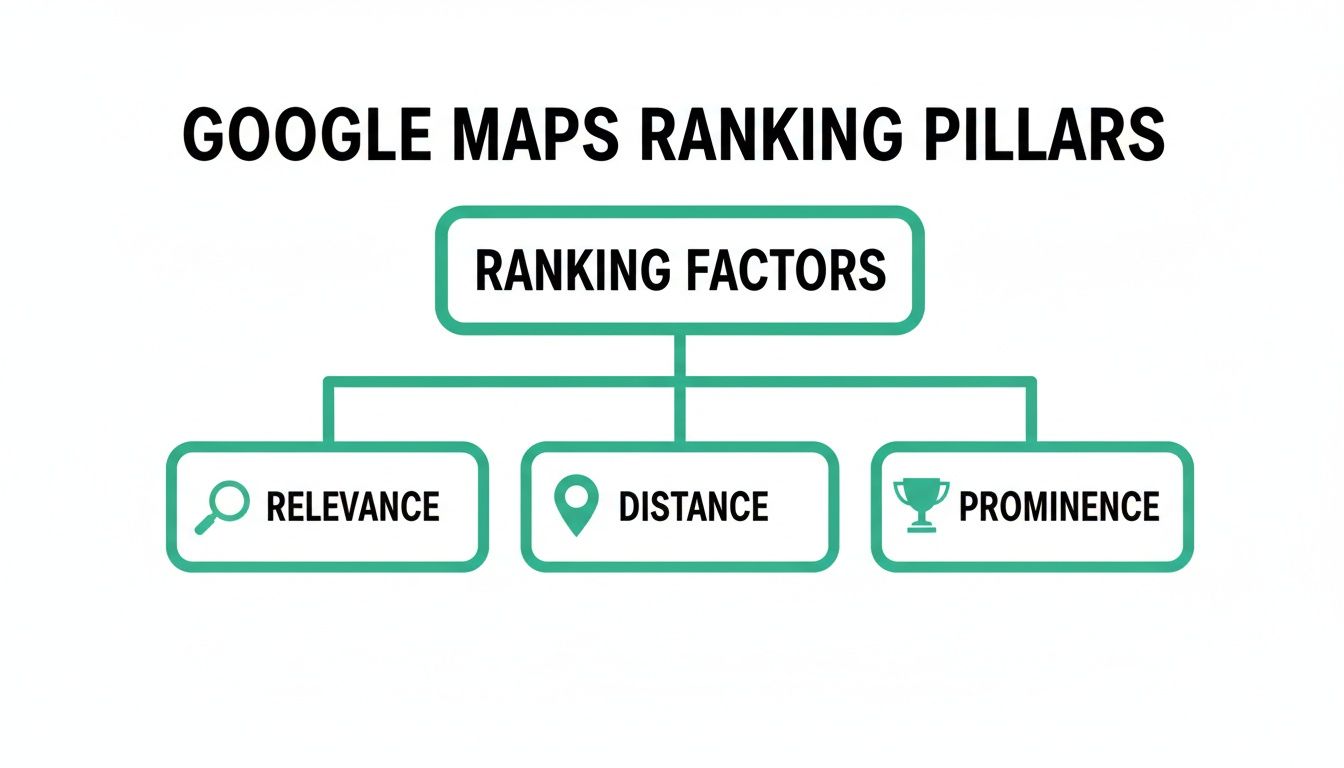
This hierarchy shows that your visibility hinges on how well you signal Relevance, Distance, and Prominence to Google's algorithm. Your GBP is the primary control center for all three.
Choosing Your Business Categories
Your first and most critical step is picking the right business categories. This choice directly impacts your Relevance score and is the main way Google even understands what you do.
Your primary category is the most important decision you'll make here. It needs to be the single best description of your core business. If you're a pizzeria that also serves pasta, your primary category is "Pizza restaurant," not just "Restaurant."
After that, you add secondary categories to cover everything else you offer. For that same pizzeria, you might add "Italian restaurant" and "Food delivery." This broadens the net for related searches without watering down your main focus.
Crafting a Keyword-Rich Business Description
Next, it’s time to tell your story in the business description. This is your chance to move beyond basic categories and weave in the exact keywords that potential customers are typing into Google to find businesses like yours.
Don't just say, "We are a local plumbing company." Instead, try something more descriptive: "Your trusted emergency plumber in [City Name], specializing in leak detection, drain cleaning, and 24/7 residential plumbing services for the [Neighborhood] area." This version isn't just more compelling; it's packed with valuable local keywords.
Pro Tip: Your GBP is a living profile, not a set-it-and-forget-it task. Businesses that regularly update their profiles with fresh photos and information signal activity to Google, which can positively influence rankings. According to Google, listings with photos receive 42% more requests for directions.
Showcasing Your Business with High-Quality Media
Photos and videos are your best tools for building trust before a customer even walks through your door. They turn an abstract listing into a real, tangible place.
Make sure your visuals are comprehensive and high-quality:
- Exterior Shots: Show your storefront, signage, and entrance so people know exactly what to look for.
- Interior Photos: Give customers a feel for your atmosphere, whether it's a cozy café or a professional clinic.
- Team Photos: Putting a face to the name makes your business more personable and trustworthy.
- Products & Services: Showcase what you sell or the work you do with clear, professional images.
For a deeper dive into making your profile stand out, explore our complete guide on how to optimize a Google Business Profile, which covers advanced tactics for every single section.
Activating Advanced GBP Features
A fully optimized profile uses every feature available to connect with customers. Don't overlook these powerful tools that can set you apart from the competition down the street.
- Google Posts: Share updates, promotions, events, or new products directly on your profile. These posts show up in search results and are a fantastic way to prove your business is active.
- Q&A Section: Proactively answer the common questions people have about your business. You can even seed this section yourself by posting and answering frequent inquiries about parking, hours, or specific services.
- Messaging: Turn on the messaging feature so customers can contact you directly from your profile. A quick response can be the difference between gaining a customer and losing them to a competitor.
- Services & Products: Fill these sections out in detail. List every service you offer with descriptions and, if applicable, prices. This granular information helps Google match you to very specific search queries, which is a huge boost for your relevance.
By systematically working through each of these elements, you build a complete, compelling, and highly optimized profile. This thoroughness is what separates businesses at the top of the Map Pack from those that are practically invisible.
Building Local Authority with Citations, Reviews, and Links
Your Google Business Profile is your digital storefront, but your reputation across the rest of the web is what really moves the needle in local maps SEO. Google is constantly looking for outside validation. It’s essentially asking the internet, "Hey, is this business actually legit and is it well-liked?"
You build this off-site authority on three key pillars: consistent citations, a steady flow of positive reviews, and a handful of valuable local links. Get these right, and you’re sending powerful trust signals to Google’s algorithm, proving your business is a real, prominent player in the community.
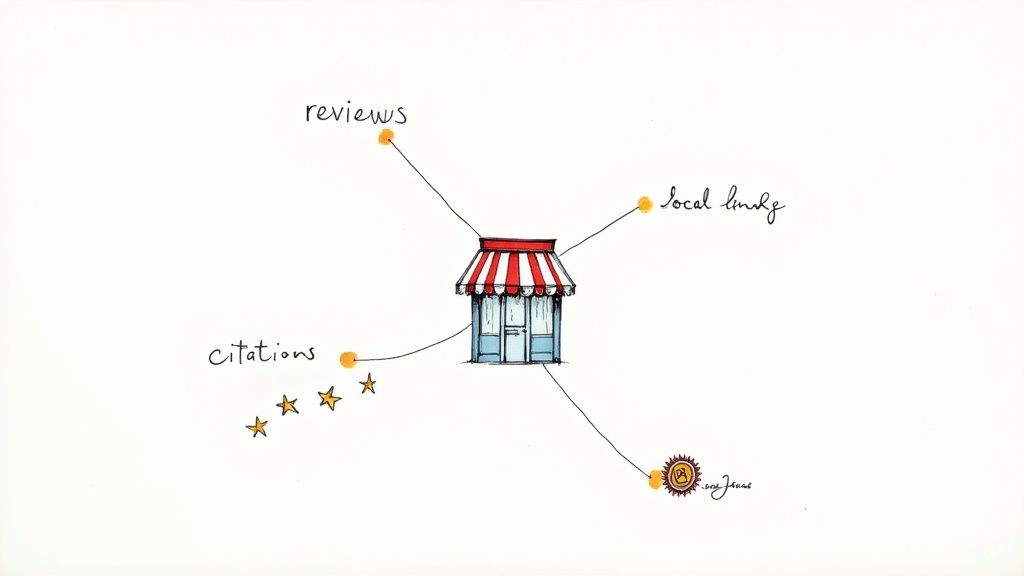
The Digital Phonebook: Modern Citations
A citation is just an online mention of your business’s Name, Address, and Phone number (NAP). Think of it as an entry in a massive, modern-day digital phonebook. Directories like Yelp, TripAdvisor, Angi, and all those niche industry sites are where citations live.
The non-negotiable rule here is NAP consistency. Your business info has to be perfectly identical everywhere. A tiny difference, like using "St." on one directory and "Street" on another, can create confusion for Google and erode its confidence in your location data. Clean, consistent citations are the foundation for proving you are who and where you say you are.
The Undeniable Power of Customer Reviews
Reviews are the lifeblood of your local reputation. They’re a direct, powerful signal of prominence that sways both Google’s algorithm and your potential customers. In fact, research shows 75% of consumers lean on reviews when checking out local businesses.
A high star rating and a healthy volume of reviews signal to Google that people in the area trust you. But it's not just about collecting them; it’s about engaging with them.
Key Takeaway: Responding to every single review—good and bad—shows you’re an active, engaged business that actually cares about customer feedback. This small act builds immense trust with future customers and sends great activity signals to Google.
You have to make it easy for happy customers to leave feedback. If you want to learn the right way to do it, check out our guide on how to get Google reviews without breaking any of Google's rules.
Earning Trust with Local Link Building
Finally, local links are basically digital endorsements from other reputable businesses and organizations in your area. When another local website links to yours, Google sees it as a powerful vote of confidence, giving your authority a serious boost.
This isn't about getting links from just anywhere. The goal is to earn them from relevant, local entities. These links are gold because they're hard to get, which tells Google you have a real, meaningful connection to your community.
Here are a few great places to start earning local links:
- Community Partnerships: Sponsor a local Little League team or a neighborhood event. Those organizations almost always have a sponsors page with a link back to your website.
- Local News and Blogs: Did your business do something newsworthy? Host a charity drive, win an award, or launch a cool new product? Tip off some local bloggers and news outlets.
- Chamber of Commerce: Joining your local Chamber of Commerce usually gets you a listing in their directory, and that comes with a valuable link pointing back to your site.
By focusing on these three areas—building a rock-solid foundation of consistent citations, managing a stellar review profile, and earning high-quality local links—you create a web of trust signals that Google simply can't ignore. This is how you prove your prominence and lock in a top spot in the local map pack.
Advanced Strategies for Multi-Location Businesses
Getting one storefront to rank on Google Maps is one thing. But trying to get dozens, or even hundreds, of locations to dominate their local markets? That’s a whole different ballgame.
The complexity explodes. What starts as a tiny inconsistency at one location can cascade into massive ranking issues across your entire brand. For franchises, dispensaries, and retail chains, the challenges are unique—from keeping business info perfectly synced everywhere to handling an avalanche of reviews. You need a centralized, rock-solid system to make sure every single store can win locally.
Centralize and Standardize Your Data
The bedrock of any multi-location strategy is obsessive data consistency. Your brand's Name, Address, and Phone number (NAP) must be identical for every location, on every single online directory.
Even a tiny difference, like using "Suite 101" on Google and "#101" on Yelp, can confuse search engines and tank your visibility. It sounds small, but these discrepancies add up.
The solution is a single source of truth. Stop letting individual managers update their own listings. Instead, use a centralized management platform. This guarantees every profile, from Google to Apple Maps, pulls from the same clean, approved data set and prevents incorrect information from creeping back in.
Create Hyper-Local Landing Pages
While your brand is one, each of your stores serves a unique community. Your website has to reflect that. Just throwing all your addresses onto a single "Locations" page won't cut it if you're serious about ranking.
Every single one of your physical stores needs its own dedicated, optimized landing page on your main website. This isn't optional; it's a must-do for multi-location maps SEO.
These pages need to be packed with hyper-local flavor:
- Unique Content: Talk about things only relevant to that store. Feature the store manager's name, photos of the local team, or testimonials from customers in that neighborhood.
- Localized Keywords: Go after terms like "[Service] in [Neighborhood Name]" or "[Product] near [Local Landmark]."
- Embedded Map: Don't just link to Google Maps—embed the map for that specific location right on the page.
- Store-Specific Details: Make the unique address, phone number, and hours for that location impossible to miss.
Think of these pages as powerful local anchors. They give Google a crystal-clear, authoritative source to trust for each of your business listings.
For multi-location businesses, trust is paramount. A complete Google Business Profile makes customers 2.7 times more likely to consider a business trustworthy. Furthermore, 75% of consumers read reviews regularly when researching local businesses, making review management a critical task for maintaining a positive brand reputation across all locations. You can discover more insights about local SEO on seoprofy.com.
Generate Authentic Localized Content
To truly own multiple markets, you have to prove each location is a real, breathing part of its community. This means ditching the generic corporate blog posts and creating content that actually connects with people on a neighborhood level. This is how you build local prominence at scale.
For instance, a national retail chain could empower local managers to post on their Google Business Profile about sponsoring a local little league team. A franchise could create blog posts showcasing projects in different suburbs, complete with geo-tagged photos and local slang.
Here are a few ways to get it done:
- Promote Local Events: Use Google Posts to shout out in-store workshops, partnerships with other local shops, or your booth at the neighborhood street fair.
- Highlight Local Team Members: Post short "employee spotlight" bios to introduce the local staff to their community. It puts a human face on the brand.
- Tailor Offerings to the Area: Is a certain product flying off the shelves in one city? Create content specifically about it for that location's landing page and Google profile.
This approach stops your stores from feeling like faceless corporate outposts and turns them into genuine neighborhood spots—in the eyes of both customers and Google.
To go deeper, our guide on multi-location local SEO strategies offers a complete framework for scaling these efforts. By blending centralized data control with hyper-local content and engagement, you can build a system that achieves top rankings in every market you serve.
Measuring Your Local Maps SEO Success
Putting a killer local maps SEO strategy in place is just the first step. If you're not measuring what happens next, you're flying blind. You have no idea which of your efforts are actually bringing people through the door and which are just wasting time.
To really get a handle on your return, you have to look past simple rankings. It’s all about tracking the real-world customer actions that actually drive revenue.
These metrics, or KPIs, are your window into what's working. They show you exactly how people are interacting with your business on Google Maps and how that online visibility turns into real engagement.
Think about it: strong local SEO gets people to act. Google’s own data shows that 76% of people who search for something nearby on their phone visit a business within 24 hours. Even better, a whopping 28% of those visits end in a sale. This is why tracking things like direction requests and phone calls is so critical—they're clear signs that a customer is about to spend money. You can dig into more useful SEO statistics on keyword.com.
Key Metrics to Monitor in Your GBP Insights
Your Google Business Profile (GBP) dashboard is an absolute goldmine of data. It tells you exactly how people are finding you and what they do once they land on your listing.
You’ll want to keep a close eye on these core metrics:
- Search Queries: This shows you the exact words people typed to find you. It’s invaluable for tweaking your keyword strategy and making sure you’re speaking your customers’ language.
- Direction Requests: This one is a direct signal of foot traffic. If this number is climbing, it means more people are physically planning to come to your location.
- Website Clicks: How many people were interested enough to click from your GBP listing over to your website? This tells you if your profile is doing its job of sparking curiosity.
- Phone Calls: Tracking calls that come straight from your profile is one of the purest ways to measure new leads and customer interest.
By keeping a regular pulse on these engagement metrics, you start connecting the dots. For instance, if you upload a fresh batch of high-quality photos and suddenly see a jump in direction requests, you’ve got proof that your visual strategy is paying off.
Visualizing Your Local Search Visibility
While your GBP dashboard is great, sometimes you need a more detailed, bird's-eye view of your performance across a whole geographic area. This is where specialized tools really shine.
One of the best ways to do this is with a rank heatmap.
A rank heatmap literally paints a picture of your search ranking for a specific keyword across different points in a city. Instead of just seeing how you rank from your own address, you get to see what customers see from their neighborhoods.
This data is priceless for spotting where you’re strong and, more importantly, uncovering the "blind spots" where your competitors are eating your lunch. With that kind of insight, you can make smarter, data-backed moves to own your local market.
Common Questions About Local Maps SEO
As you start putting these strategies to work, a few questions always come up. Here are some clear, straightforward answers to the things we hear most often, designed to help you cut through the noise and focus on what matters.
How Long Does It Take to See Results?
There's no magic button, but you can usually expect to see some initial movement within 2 to 4 months of consistent work. This is the typical timeframe for a fully optimized Google Business Profile, plus the start of a solid citation and review campaign, to begin taking effect.
But for the big wins—like locking in a stable top-3 spot in the Map Pack—you should plan on 6 months or more. The real secret is consistency. Local SEO is a marathon, not a sprint, and the brands that win are the ones that never stop managing their presence.
What's the Difference Between Local SEO and Maps SEO?
It’s a great question. Think of them as cousins—closely related, but not the same person.
- Local SEO is the big picture. It’s the entire strategy for getting your business seen in local searches, which includes ranking your website in the normal "blue link" organic results for keywords like "dispensary near me."
- Maps SEO is a laser-focused part of that strategy. It’s all about one thing: getting your Google Business Profile to rank higher on the map itself and in the coveted 3-Pack.
While one helps the other, Maps SEO is purely about optimizing for the signals that Google's map algorithm cares about most.
Do I Need a Physical Storefront to Rank?
Nope, you don't necessarily need a public storefront to show up on the map. Businesses that go to their customers—think plumbers, electricians, or mobile detailers—are called service-area businesses (SABs), and they can absolutely rank.
The trick is setting up your Google Business Profile correctly. You'll register as a service-area business and hide your physical address. Instead of a pin, Google will display a shaded outline of the areas you serve. This gets you on the map for customers in your target neighborhoods without needing a brick-and-mortar location.
It’s how businesses without a traditional retail space can still compete and win in local search.
Ready to stop guessing and see exactly where you rank across every single neighborhood? Nearfront gives you AI-powered rank heatmaps and automated signal generation to put your multi-location brand at the top of Google Maps. Find out how we drive more foot traffic and customer calls at https://nearfront.com.