To get a real handle on your keyword rankings, you have to use a dedicated SEO tool. This isn't just about plugging in a few search terms; it's about systematically monitoring your website's position, especially at the local level. The whole process boils down to picking the right keywords, telling your tool to check them from specific zip codes, and then actually looking at the data to see what’s working. It’s the only way to know where you stand and whether your SEO efforts are paying off.
Why Rank Tracking Is Your Local SEO Compass
In the fast-paced game of local search, guessing gets you nowhere. Think of consistent keyword rank tracking as the compass that guides every single decision you make. It shows you exactly how your business looks to a customer searching from a specific neighborhood, not just a vague, generalized view. This is about so much more than just seeing if you're number one; it's about understanding how the market is shifting, measuring the real ROI of your work, and spotting openings before your competitors even know they exist.
Without this data, you're flying blind. You might feel like your local SEO is working, but you have zero concrete evidence to back it up.
More Than Just a Scorecard
One of the biggest mistakes I see is businesses treating rank tracking like a passive report card they check once a month. That's the wrong way to look at it. Instead, think of it as an active, strategic diagnostic tool that gives you live feedback.
Imagine a local coffee chain suddenly sees a ranking drop for 'best coffee near me' right after a Google update. Because they have historical tracking data, they can pinpoint exactly when and where the drop happened, figure out the cause, and recover quickly. That’s how you protect your most valuable source of foot traffic.
This historical context is gold for a few key reasons:
- Performance Measurement: It’s the clearest way to prove that your optimizations—like updating your Google Business Profile or building local citations—are actually moving the needle.
- Competitor Benchmarking: Tracking lets you see, keyword by keyword, how you stack up against the competition. It instantly reveals their weak spots and your best opportunities.
- ROI Justification: At the end of the day, you need to show results for every dollar spent. A steady climb in rankings for high-intent keywords is tangible proof that your SEO budget is working.
Navigating an Unpredictable Landscape
The ground is constantly shifting under our feet in the world of SEO. Google's major algorithm updates have made historical rank tracking absolutely essential. Take the BERT update, for example—it caused average keyword positions to swing by up to 15-20% for conversational searches almost overnight. For multi-location brands, this kind of volatility is a huge threat.
But it's also an opportunity. The same data shows us that 'near me' searches surged by a staggering 500% during the 2020 lockdowns, making the local Map Pack the most valuable real estate on the SERP. Consistent tracking turns these raw numbers into actionable strategies, so you're not just reacting to SERP changes, but anticipating them. You can dig into more of this historical data in SE Ranking's research.
The real value of rank tracking isn't just knowing you're at position #3. It's knowing you moved from #7 to #3 right after launching a specific campaign, while your main competitor slipped from #2 to #4 in the same period. That context is where real strategy is born.
Ultimately, knowing how to track your keywords isn't just some technical task—it's a foundational business practice for any company with a physical location. It gives you the clarity to make smarter marketing decisions, put your resources where they count, and win the local search battle, one neighborhood at a time. It turns your local SEO from a collection of hopeful tactics into a predictable, data-driven engine for growth.
Setting Up Your Hyperlocal Keyword Tracking System
A powerful keyword tracking system is the difference between noisy data and clear, actionable insights. It’s not something you just switch on; you have to design it with intention. This means getting way more specific than generic, city-wide search terms and building a strategic portfolio of keywords that mirrors how real customers actually look for you.
The goal here is to see your performance at a granular level—not just by city, but by the specific zip codes or even street corners where your customers are. Nailing this from day one means every piece of data you collect will be clean, comparable, and ready to guide your next move.
Choosing Your Core Keyword Portfolio
First things first: you need to build a balanced keyword list. A classic mistake is to focus only on those high-volume, super-competitive terms like "pizza new york." Sure, they have their place, but the real money for a local business is often hidden in a more diverse mix of queries. A solid local keyword portfolio needs a blend of transactional, informational, and branded searches.
Let's take a franchise of wellness clinics with locations in both downtown and suburban neighborhoods. Their keyword strategy has to capture all the different ways a potential customer might be searching.
To illustrate, here's a quick breakdown of how they should categorize their keywords.
| Keyword Category | Description | Example Keyword |
|---|---|---|
| Transactional Keywords | High-intent phrases from people ready to buy or book now. These are your money-makers. | "24-hour chiropractor downtown" |
| Informational Keywords | Queries from potential customers in the research phase, looking for answers. | "benefits of acupuncture for back pain" |
| Branded Keywords | Searches that include your business name, used by people who already know you. | "[Brand Name] wellness clinic hours" |
This approach gives you a complete picture of your visibility across the entire customer journey, not just at the final point of purchase.
Configuring Geolocation and Search Parameters
Once you've got your keywords, you need to tell your tracking tool exactly where to look. This is the single most important part of hyperlocal tracking. Simply tracking "chiropractor" from a generic "Chicago" location gives you a data point that’s pretty much useless. Someone searching in Lincoln Park will see completely different results than someone in Hyde Park.
This is where you have to get specific:
- Track by Zip Code: At a minimum, set up tracking for the specific zip codes each of your locations serves.
- Monitor Mobile vs. Desktop: With over 60% of Google searches happening on mobile, you have to track these separately. Local intent is almost always higher on a phone.
- Specify Google Maps / Map Pack: You absolutely must track standard organic results separately from the Google Map Pack. The Map Pack runs on a different algorithm and is where most local businesses get their best leads. Make sure your tool is configured to track your position in the 3-Pack.
A common pitfall is lumping all this data together. A #1 organic ranking is great, but if you're not in the Map Pack for a 'near me' search, you're invisible to the majority of ready-to-buy local customers.
This simple visual breaks down the core process for any effective local SEO monitoring.
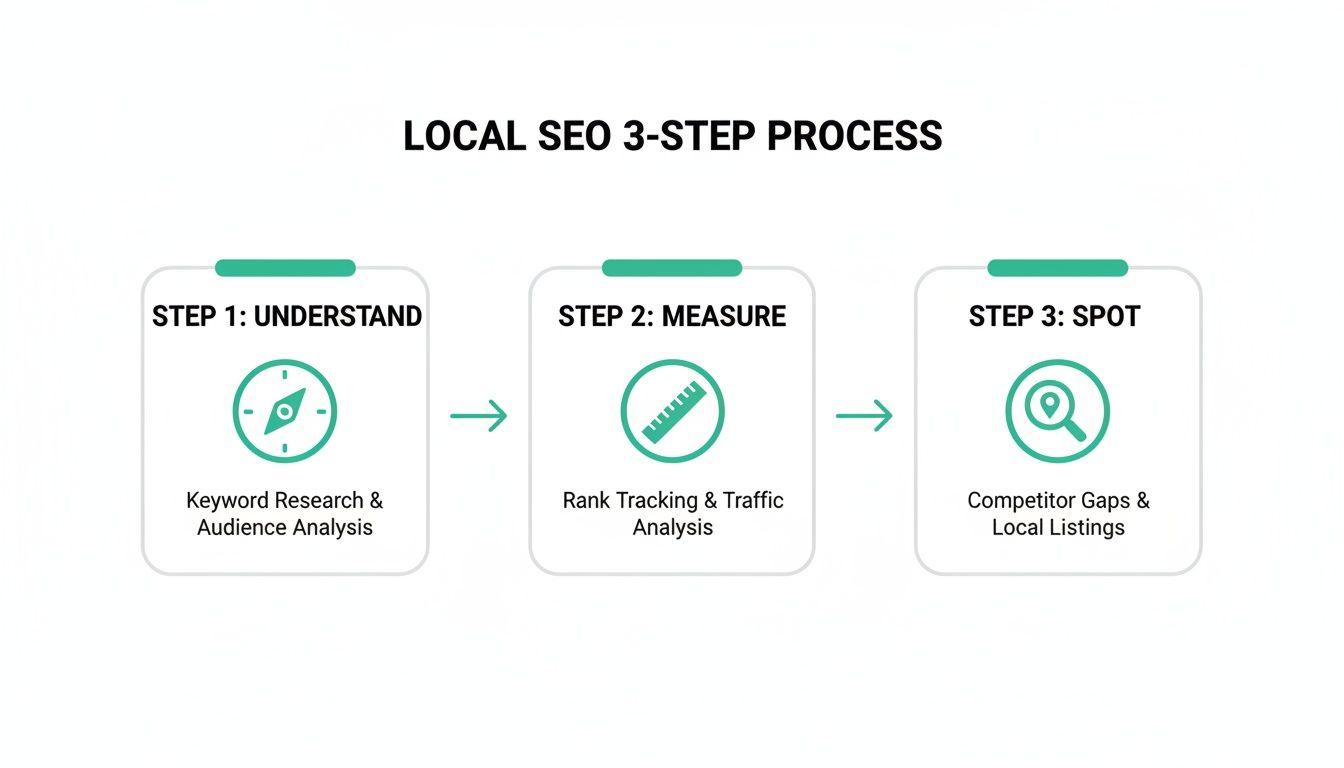
The flow from understanding your local market to measuring precise results and spotting opportunities is what drives any successful strategy.
Organizing for Multi-Location Businesses
For franchises or any brand with more than one storefront, organization is everything. If you just dump all your keywords and locations into one big project, you'll create a data nightmare. You'll never be able to compare performance or spot real trends.
The best way to handle this is by using tags or separate projects inside your rank tracking tool. For our wellness clinic example, you could set up tags like:
- Location: "Downtown," "Uptown," "Suburb West"
- Service: "Chiropractic," "Massage," "Acupuncture"
- Intent: "Transactional," "Informational," "Branded"
This structure lets you filter your data with precision. In seconds, you can see how all "Massage" keywords are performing at the "Downtown" location. Or, you could compare the performance of all "Transactional" keywords across every suburban store.
This level of organization turns a messy spreadsheet of numbers into a powerful strategic asset, helping you answer critical business questions and put your resources where they’ll actually make a difference.
Choosing the Right Tools for Accurate Local Rank Tracking
Once you’ve nailed down your keyword list, the next move is picking the right tool to track everything. The market is flooded with options, but for a local business, most rank trackers just don't cut it. You need a tool that delivers laser-focused, location-specific data, not fuzzy national estimates that mean nothing to a brick-and-mortar shop.
Getting this choice right is about more than cool features; it’s about investing in data you can actually use. You need to see what a real customer sees when they search from the neighborhoods you serve.
All-in-Ones vs. Specialized Local Tools
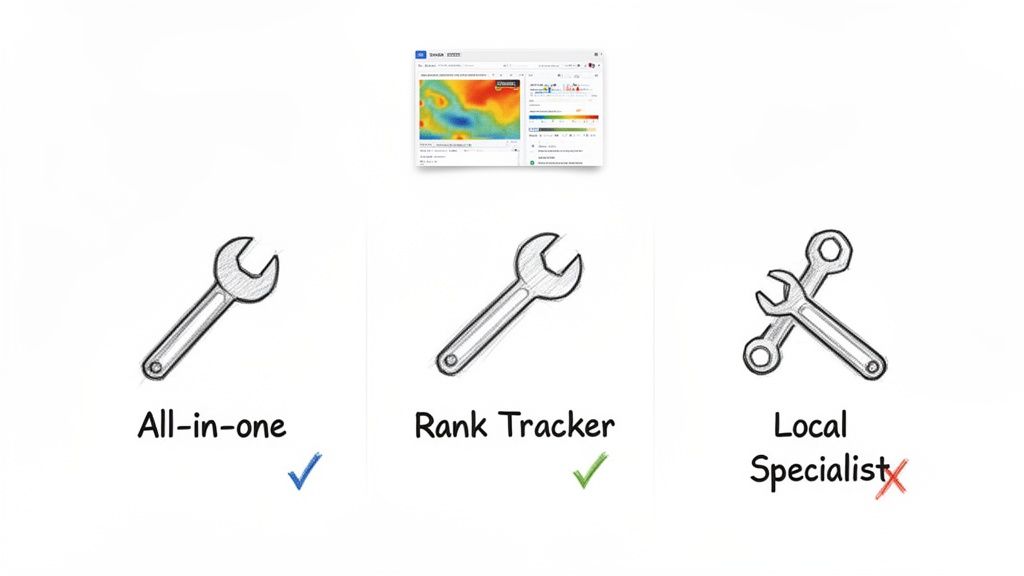
The SEO tool world is pretty much split into two camps: massive all-in-one platforms and specialized, purpose-built tools. They both have their place, but they solve very different problems, especially when it comes to local.
All-in-one platforms like Semrush and Ahrefs are the Swiss Army knives of digital marketing. They’re packed with an incredible range of features—backlink analysis, site audits, content marketing, you name it. Their rank trackers are solid, but they're just one small part of a much bigger machine.
On the other side, you have specialized tools that do one thing exceptionally well. For local businesses, tools like Nearfront are built from the ground up to tackle the unique challenge of hyperlocal visibility. Their entire reason for existing is to give you the most accurate, granular data for Google Maps and local search results.
Key Features That Actually Matter for Local Tracking
When you're shopping for a tool to track keyword rankings, it's easy to get lost in a sea of features. Forget the long lists and focus on the handful of capabilities that will directly impact your local visibility.
Here are the non-negotiables:
- Zip Code and Neighborhood-Level Tracking: Checking rankings from a specific zip code is the bare minimum. The best local tools go deeper, letting you see results from precise street-level coordinates.
- Dedicated Google Map Pack Monitoring: Your spot in the 3-Pack is often more valuable than your organic ranking. Your tool absolutely must track this separately and accurately. Understanding how your business ranks on Google Maps is fundamental.
- Intuitive Heatmap Visualizations: A spreadsheet of rankings is just data. A heatmap turns that data into a visual story, showing you exactly where you’re visible—and invisible—across a city grid.
- Frequent and Reliable Updates: Local search results can change in an instant. A tool that updates daily or on-demand means you can react quickly instead of waiting a week for a stale report.
Choosing a tool without dedicated Map Pack tracking is like trying to navigate a city with a highway map—you're missing all the important local streets where your customers actually are.
Weighing the Pros and Cons
To make the right call, it helps to put the different tool types side-by-side. Each has its own trade-offs in terms of focus, cost, and the kind of insights you'll get.
| Tool Type | Pros | Cons |
|---|---|---|
| All-in-One Platforms | Wide range of SEO features beyond rank tracking. Great for competitive analysis and backlink data. | Local tracking is often less granular. Can be expensive due to all the bundled features. |
| Dedicated Rank Trackers | Highly focused on accurate position tracking. Often more affordable than all-in-one suites. | Limited features outside of rank tracking. May lack advanced local visualizations like heatmaps. |
| Specialized Local SEO Tools | Unmatched accuracy for Map Pack and zip code tracking. Features like heatmaps provide true hyperlocal insights. | Doesn't usually include broader SEO tools like site audits or extensive backlink databases. |
For a single-location shop, a dedicated rank tracker might be enough to get by. But for a multi-location brand or any business that depends on foot traffic, the detailed, hyperlocal data from a specialized local SEO platform is a game-changer. These tools are built to answer the only question that matters for a local business: "Where am I visible to the customers closest to my front door?"
Turning Ranking Data into Real-World Insights
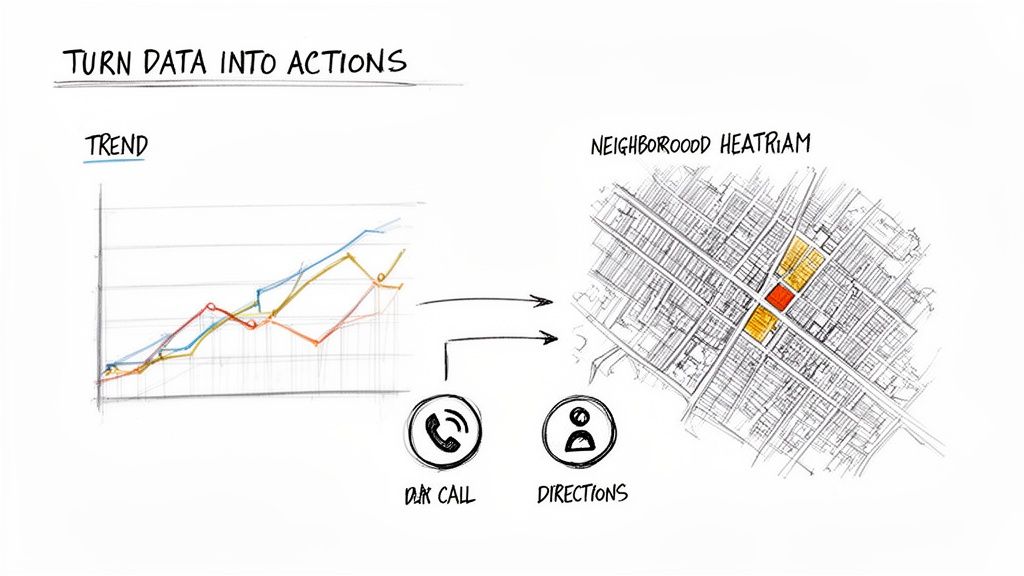
A top ranking feels great, but it’s just a vanity metric until it affects your bottom line. The real magic happens when you translate that raw position data into actual business intelligence. It’s about looking past the numbers and asking, "So what?"
Seeing your rank jump from #7 to #3 is a good start, but what did that shift actually do? Did it lead to more phone calls? Did foot traffic spike at a specific store? This is where data stops being a report and starts being a growth strategy.
Look for Trends, Not Just Snapshots
Your ranking data tells a story, but you can only read it by looking at trends over time. A single data point is just noise. Consistent tracking over weeks and months reveals the true impact of your SEO efforts, a competitor's big marketing push, or a chaotic Google algorithm update.
Imagine a multi-location pet store sees a steady climb for "organic dog food delivery" right after launching a series of neighborhood-specific blog posts. That trend validates their entire content strategy. On the flip side, a sudden drop for "emergency vet clinic" at one location could mean a new competitor just opened down the street, demanding an immediate response.
Watching these trends is how you move from a reactive to a proactive SEO mindset.
Connect Rankings to Business Outcomes
This is the most important step. A high ranking means nothing if it doesn't drive customer action. The goal is to find the keywords that not only rank well but also generate the most valuable conversions—whether that’s a click, a call, or a visit to your store.
You need to connect your ranking data with your other key performance indicators (KPIs) to see the whole picture.
- Click-Through Rate (CTR): Are people actually clicking on your top-ranking keywords? If you’re at position #1 with a low CTR, your title tag and meta description probably aren't cutting it.
- Phone Calls: For most local businesses, a phone call is a hot lead. Tying call tracking data to specific keywords shows you which terms make the phone ring.
- Direction Requests: This is a huge buying signal for any brick-and-mortar business. An increase in direction requests after a ranking improvement draws a straight line from your SEO work to real foot traffic.
How Heatmaps Reveal Hyperlocal Opportunities
For any business with a physical location, a local ranking heatmap is a game-changer. Instead of giving you a single, vague ranking for an entire city, a heatmap shows your visibility at dozens or even hundreds of specific points on a map. This instantly shows you where you’re strong and, more importantly, where you’re invisible. You can learn more about this approach in our guide to the best local search rank tracker.
A heatmap might reveal that you rank #1 for "best tacos" within a mile of your restaurant, but you don't even show up for customers searching from a dense residential area just two miles away. That insight is pure gold. It tells you exactly where to focus your next local SEO push, maybe with a neighborhood-specific landing page or a targeted local ad campaign.
Don't get fixated on your "average" rank. A single number can be dangerously misleading. What you really need to track is your share of visibility across the specific geographic areas that matter to your business.
This is where the connection between rankings and revenue becomes undeniable. When you can turn abstract numbers into a clear, visual map of opportunity, you can finally align your SEO efforts with tangible business growth.
Turning Your Keyword Insights into Action
Collecting keyword data is one thing. Actually using it is where you win. Your rank tracking reports are a live feedback loop showing you what’s working, what isn’t, and where your next big opportunity is hiding in plain sight.
This is where all that data becomes your plan of attack. A sudden drop in rankings isn't a disaster; it's a signal to investigate. A competitor showing a weakness isn't just an interesting data point; it's an open door you need to walk right through.
Responding to Sudden Ranking Drops
Nothing spikes a marketer's anxiety like seeing your most valuable keywords fall off a cliff overnight. Before you start making panicked changes, take a breath and run through a methodical troubleshooting process.
Your first move is to look for external factors. Was there a confirmed Google algorithm update? Most good tracking tools will overlay these events on your ranking charts, making it easy to see if an industry-wide shakeup is the culprit.
If there's no big update, the problem is likely closer to home.
- A New Player in Town: Did a new competitor open nearby, or did an existing one just launch a massive SEO push? Check the SERPs for your target keywords and see who took your spot.
- Technical SEO Glitches: Run a quick site audit. Simple but devastating issues like a slow-loading page, broken internal links, or an accidental 'noindex' tag can tank your rankings instantly.
- A Spike in Bad Reviews: For local rankings, a sudden flood of negative Google reviews can absolutely impact your visibility in the Map Pack.
Fixing an Underperforming Location
What happens when your reports show one of your stores is constantly trailing the pack? This is a classic challenge for multi-location brands and usually points to a hyperlocal optimization gap. The solution is to treat that specific location like its own mini SEO project.
Start by going deep on its Google Business Profile (GBP). Is every single field filled out completely? I'm talking services, products, all the relevant attributes, and a steady stream of high-quality, geotagged photos. We have a complete guide on how to optimize your Google Business Profile that walks you through every step.
Next, get tactical about building hyperlocal authority signals for that specific address. This could mean sponsoring a little league team, getting featured in a neighborhood blog, or building citations from business directories exclusive to that part of town. These actions prove to Google that your business is a legitimate, active part of that specific community.
Don't make the mistake of applying a one-size-fits-all SEO strategy to every location. An underperforming store isn't a failure—it's a data-driven signal telling you that its neighborhood needs a different approach.
Analyzing Competitor Data for Strategic Gaps
Your rank tracker isn’t just for checking your own homework; it’s one of the best competitive intelligence tools you have. By tracking your top rivals, you can see their strategy, find their weak spots, and figure out how to outmaneuver them.
Look for keywords where a competitor ranks on page one but is stuck in the #5 to #10 range. These are their vulnerabilities. If they're ranking #8 for a high-value term, it means Google sees them as relevant, but their content or optimization is beatable.
Let's say a rival auto shop ranks for "Honda brake repair downtown," but their page is just a generic service list. That's your opening. You can create a dedicated landing page all about Honda brake services, packed with model-specific info, customer testimonials, and clear CTAs. This laser-focused approach serves the searcher's intent far better than their lazy, generic page ever could.
Your Action Plan for Common Ranking Scenarios
Data is just noise until you have a clear plan for what to do with it. This table gives you a simple framework for turning the most common observations from your rank tracker into decisive action.
| Data Observation | Potential Cause | Recommended Action |
|---|---|---|
| Rankings drop across all locations | Google algorithm update or site-wide technical issue. | Check industry news for update confirmation. Run a full site audit to look for crawl errors. |
| One location consistently underperforms | Poor GBP optimization or weak hyperlocal signals. | Conduct a full GBP audit for that location. Build neighborhood-specific backlinks and citations. |
| Competitor ranks weakly for a valuable keyword | Their content is thin or doesn't match search intent. | Create a more comprehensive, targeted landing page that better serves the user's query. |
When you adopt this action-oriented mindset, keyword tracking stops being a chore and becomes a powerful engine for growth. Every chart and every heatmap turns into a treasure map, guiding you straight to more visibility, more leads, and more customers walking through your doors.
Common Questions About Keyword Rank Tracking
Even with a solid plan in place, you're bound to run into questions once you start tracking your keyword rankings. It happens to everyone. Getting straight answers to these common hang-ups is the key to refining your strategy without getting bogged down in data.
Here are a few of the most frequent questions we hear and how we think about them.
How Often Should I Check My Keyword Rankings?
For your most valuable, "money" keywords, daily tracking is the way to go. This gives you an immediate heads-up on major drops, competitor moves, or algorithm updates that could hit your bottom line. You can react almost in real-time.
For the rest of your keywords, though, a weekly check-in usually strikes the perfect balance. It’s frequent enough to spot real trends but not so often that you get lost in the noise. For broader, top-of-funnel terms that aren't tied directly to a sale, monthly is often fine.
The real secret is consistency. Tracking consistently over time builds the historical data you need to actually measure the impact of your SEO work and tell the difference between a real trend and a random blip.
Why Are My Rankings Different on My Phone Versus My Desktop?
This is a classic, and it gets right to the heart of mobile-first SEO. Google isn't making a mistake here; it's showing different results by design. Your device, your exact location, and even your personal search history all play a role.
Mobile search results, in particular, are intensely local. They're heavily influenced by your physical location, especially for any "near me" type of search. If you run a brick-and-mortar business, those mobile users are your bread and butter, and what they see is what really matters. Desktop results are often based on a more general city or region, painting a much less accurate picture of your true visibility.
This is exactly why you need a tracking tool that can monitor mobile and desktop rankings separately.
My Rankings Are Fluctuating Daily. Is This Normal?
Yes, small bounces of a few positions up or down are completely normal. We call it the "Google dance," and it's happening all the time as the algorithm tests and tweaks results. Don't sweat the small stuff.
The time to pay attention is when you see a sudden, significant, and sustained drop across a whole group of important keywords. A fall of 10+ positions that sticks around for several days could signal a real problem—maybe a technical SEO issue, a penalty, or a big algorithm update rolling out. That's why looking at weekly or monthly trends is so much more valuable than overreacting to tiny daily changes.
Can I Track Rankings in the Google Map Pack Specifically?
Absolutely. And if you're a local business, you have to. The Google Map Pack (or Local Pack) runs on a different set of rules than the standard blue-link organic results. For local searches, it's the most valuable real estate on the entire page.
Most modern SEO tools, especially those built for local SEO, are designed to track Map Pack rankings. They can show you where you stand in the 3-Pack from different vantage points, like specific neighborhoods or zip codes. For a local business, that hyperlocal view is infinitely more valuable than a single, city-wide organic ranking for understanding what your potential customers are actually seeing.
Ready to see exactly where you stand in the neighborhoods that matter most? Nearfront gives you live, intuitive ranking heatmaps that turn confusing data into a clear action plan. Find your visibility gaps and start driving more foot traffic today. Learn more at https://nearfront.com.