For multi-location brands and local businesses, a fully optimized Google Business Profile (GBP) is the most powerful tool for capturing local search intent. It's no longer just a digital listing; it's a dynamic storefront that directly drives foot traffic, phone calls, and website clicks from customers actively searching for your products or services. A well-maintained profile acts as a critical trust signal for both Google's algorithm and potential customers, directly influencing your visibility in the coveted Google Map Pack. Neglecting it means handing a significant competitive advantage to your rivals.
This Google Business Profile optimization checklist provides a comprehensive, step-by-step framework to transform your listing into a high-performance local marketing engine. We move beyond the basics, offering actionable tactics and strategic insights to ensure every component of your profile is working to maximize your local search ranking. You will learn how to master everything from foundational setup and precise category selection to advanced strategies involving customer engagement, media uploads, and performance tracking.
We will cover the 10 essential pillars of a dominant GBP strategy:
- Complete Business Information Setup
- High-Quality Photo and Video Upload
- Customer Reviews Management and Response
- Accurate Business Category Selection
- Google Posts and Content Marketing
- Website and Service Pages Linking
- Attributes and Services Configuration
- Local SEO and Google Search Console Integration
- Mobile Optimization and User Experience
- Verification, Authority, and Trust Building
Each item in this checklist is designed to be a clear, actionable task. By systematically working through these points, you can build a powerful, authoritative profile that not only ranks higher but also effectively converts local searchers into paying customers.
1. Complete Business Information Setup
The first and most critical step in any Google Business Profile optimization checklist is establishing a complete and accurate foundation. This means meticulously filling out every core piece of information about your business. Think of it as the digital storefront sign for your brand on Google Search and Maps; if the information is wrong or incomplete, potential customers will get lost, frustrated, or simply go to a competitor.
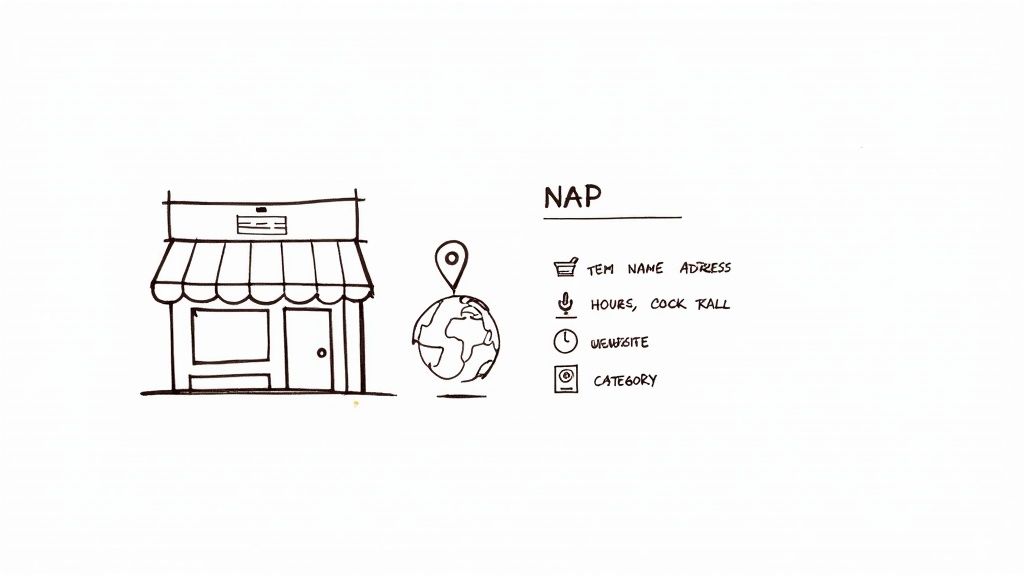
This foundational data, often called NAP (Name, Address, Phone Number), plus your website and business category, is the bedrock of your local SEO. Google cross-references this information across the web to verify your business's legitimacy and relevance. Inconsistency signals a lack of reliability, which can harm your ranking in the local Map Pack.
Why It's Foundational
A complete profile directly impacts how customers find and interact with you. For a multi-location brand like McDonald's, consistent NAP data across thousands of listings ensures a customer looking for a Big Mac in a new city is directed to the correct restaurant, not a closed location. Similarly, a local dental office must have accurate hours and a precise service area defined to attract nearby patients searching for "dentist near me". Getting this right is the essential first step to getting your free business listing on Google to work for you.
Actionable Tips for Implementation
To ensure your business information is flawless, follow these specific steps:
- Verify Everything: Before publishing, triple-check every detail for typos, especially the address and phone number. Use a tool like Google Maps to drop a pin and confirm your location marker is precise.
- Maintain Consistency: Your business name, address, and phone number should be formatted identically everywhere online, from your website to social media and other directories.
- Define Your Service Area: If you are a service-area business (like a plumber or landscaper), clearly define the specific zip codes, cities, or regions you serve. This helps Google show your profile to relevant local searchers even if you don't have a physical storefront they can visit.
- Update Hours Instantly: Immediately update your profile for holidays, special events, or seasonal changes. Mismatched hours are a primary source of negative customer experiences and reviews.
2. High-Quality Photo and Video Upload
After establishing your core business information, the next crucial step in your Google Business Profile optimization checklist is to populate it with high-quality visual content. In today's digital landscape, photos and videos are often the first impression a potential customer has of your business. They add credibility, build trust, and can dramatically increase user engagement and click-through rates more than any other element on your profile.
Visuals transform your profile from a simple directory listing into an engaging digital storefront. A profile rich with professional, authentic imagery communicates quality and helps customers visualize their experience with your brand. Google's data shows that businesses with photos receive 42% more requests for driving directions on Google Maps and 35% more clicks through to their websites than businesses that don't have them.

Why It's Foundational
High-quality visuals are fundamental to converting searchers into customers. For a hotel, showcasing 360-degree room tours, high-resolution images of the pool, and videos of the dining experience allows potential guests to make a confident booking decision. Similarly, a local restaurant can entice diners by uploading professional food photography and behind-the-scenes videos of the kitchen, making the menu feel more tangible and appealing. These visual assets provide proof of quality and set expectations.
Actionable Tips for Implementation
To build a compelling visual portfolio for your Google Business Profile, implement these strategies:
- Cover All Bases: Upload a variety of photos, including your logo, a cover photo, exterior shots from different angles, interior photos, team photos, and images of your products or services in action.
- Invest in Quality: Hire a professional photographer for a foundational set of images. Ensure all photos are well-lit, high-resolution, and properly represent your brand's aesthetic.
- Embrace Video Content: Upload short videos (up to 30 seconds) to showcase your business environment, demonstrate a product, or introduce your team. Videos are highly engaging and can help you stand out.
- Keep It Fresh: Add new photos regularly, at least monthly, to signal to Google that your profile is active and well-maintained. This also keeps your content relevant for returning visitors.
- Encourage User-Generated Content: Actively ask customers to upload photos with their reviews. This provides social proof and authentic, real-world perspectives of your business.
3. Customer Reviews Management and Response
After establishing your profile's foundation, the next critical step is to actively manage your customer reviews. This involves monitoring, responding to, and encouraging new feedback on your Google Business Profile. Reviews are a powerful form of social proof, directly influencing potential customers' decisions and serving as a significant ranking factor for Google's local algorithm. A proactive approach demonstrates that you value customer feedback and are committed to satisfaction.
This two-way communication builds trust and provides invaluable insights into your business operations. Google sees frequent, positive reviews and prompt owner responses as strong signals of a reputable, active, and customer-centric business, which can improve your visibility in the local Map Pack.

Why It's Foundational
Effective review management directly impacts reputation and conversions. For example, a local plumber who consistently earns 4.8-star ratings by requesting reviews after a job is completed will naturally attract more calls than a competitor with a 3.5-star rating. Similarly, a fitness center that publicly addresses a negative review by offering a solution shows prospective members that it handles customer service professionally. Managing this feedback is essential for any business wanting to build a trustworthy brand.
Actionable Tips for Implementation
To build a stellar online reputation through reviews, follow these best practices:
- Respond Promptly: Aim to respond to all reviews, both positive and negative, within 24-48 hours. This shows that you are attentive and engaged with your customer base.
- Maintain Professionalism: In every response, use a professional yet friendly tone. Thank customers for positive feedback and address criticism constructively, never defensively.
- Encourage New Reviews: Actively ask satisfied customers to leave feedback. You can streamline this process by learning how to get Google reviews compliantly using shareable links, QR codes in-store, or email follow-ups.
- Personalize Your Responses: Avoid generic, copy-pasted replies. Mention a specific detail from the customer's review to show that you've read and appreciated their unique feedback.
4. Accurate Business Category Selection
Selecting the right business categories is one of the most impactful yet often overlooked elements of a Google Business Profile optimization checklist. Your chosen categories act as powerful signals to Google, telling its algorithm exactly what your business does and which customer searches are relevant to you. Think of it as the digital aisle marker that guides users searching for "pizza near me" directly to a pizzeria, not a generic restaurant.
The primary category is the most crucial, as it defines your main service and heavily influences which attributes become available in your profile. Secondary categories allow you to add more detail and capture a wider net of related searches. For Google, accurate categorization is a cornerstone of relevance; it won’t show a "Nail Salon" to someone searching for a "Barber Shop," even if they are in the same building. Proper selection ensures you appear in the right searches, connecting you with high-intent customers.
Why It's Foundational
Correct categorization directly impacts your visibility in the local Map Pack. For example, a medical clinic that selects "Doctor" as its primary category but adds "Urgent Care Clinic" and "Family Practice Physician" as secondary categories can appear in searches for all three terms. This multi-category approach broadens its reach without diluting its core identity. An Italian restaurant that also serves pizza must list both "Italian Restaurant" and "Pizza Restaurant" to capture both search audiences effectively. This precision is fundamental to attracting qualified local customers.
Actionable Tips for Implementation
To ensure your business categories are perfectly aligned with your services, follow these specific steps:
- Be Specific, Not General: Always choose the most specific category possible for your primary option. Instead of "Restaurant," select "Italian Restaurant" or "Mexican Restaurant." This specificity improves your relevance for targeted searches.
- Maximize Secondary Categories: Google allows up to ten total categories. Use as many as are accurately applicable to your business. A hair salon could add "Barber Shop," "Beauty Salon," and "Waxing Salon" to cover its full range of services.
- Analyze Your Competitors: Search for your main keywords and see which categories top-ranking competitors in the Map Pack are using. This can reveal high-value categories you may have missed.
- Match Categories to Services: Ensure every category you select corresponds to a service or product you actually offer and have listed in your profile's "Services" section. This creates a consistent and trustworthy signal for Google.
5. Google Posts and Content Marketing
A often underutilized feature in any Google Business Profile optimization checklist is the consistent use of Google Posts. Think of this feature as a free, high-visibility billboard directly on your profile in Google Search and Maps. It allows you to publish real-time updates, promotions, events, and news, transforming your static listing into a dynamic marketing channel that actively engages searchers.
For potential customers, Posts provide timely reasons to choose your business over competitors. They signal that your business is active, current, and engaged with its community. This micro-content strategy is crucial for capturing the attention of users in the final stages of their decision-making process, directly influencing clicks, calls, and foot traffic.
Why It's Foundational
Google Posts directly impact user engagement, a key signal to Google that your profile is relevant and valuable. For a fitness studio, posting about a new yoga class or a limited-time membership offer can immediately attract sign-ups. Similarly, a real estate agent can use Posts to showcase a new property listing with compelling images, driving immediate interest and inquiries before the listing even hits major portals. This constant stream of fresh content keeps your profile from becoming stale and demonstrates its importance to Google’s algorithm.
Actionable Tips for Implementation
To leverage Google Posts effectively and drive results, follow these specific steps:
- Establish a Cadence: Post consistently, aiming for a minimum of 1-2 times per week. Regular updates keep your content fresh and visible, as standard posts expire after seven days.
- Use High-Quality Visuals: Each post should include a compelling, high-resolution image or video. A coffee shop promoting a new seasonal latte will get far more engagement with a vibrant photo than with text alone.
- Include a Clear Call-to-Action (CTA): Use Google’s built-in CTA buttons like "Book," "Order Online," "Learn More," or "Call Now." Make it incredibly easy for users to take the next step.
- Promote Time-Sensitive Offers: Create a sense of urgency with promotions that have a clear expiration date. This encourages immediate action from users who might otherwise delay their decision.
- Announce Updates and Milestones: Share news about new products, services, business hours, or company achievements. This keeps your audience informed and helps build a stronger community connection.
6. Website and Service Pages Linking
Properly linking your Google Business Profile (GBP) to your website is more than just adding your homepage URL. It's about creating a strategic and seamless bridge that guides potential customers to the most relevant information, thereby boosting user experience and signaling content authority to Google. This connection transforms your profile from a simple directory listing into a powerful lead-generation funnel.
By directing users to specific service or product pages, you reduce friction in the customer journey and provide Google with clear contextual clues about your offerings. This enhanced relevance is a key factor in a comprehensive Google Business Profile optimization checklist, as it reinforces the connection between a user's search query and your business's specific solutions, which can improve your rankings for long-tail keywords.
Why It's Foundational
Strategic linking directly impacts conversions and SEO. For example, a multi-location dental practice can link its "Teeth Whitening" service in GBP directly to its teeth whitening service page, not just the homepage. This takes an interested user straight to the information they need, including pricing, an FAQ, and a booking button. Without this specific link, the user would have to navigate the entire site, increasing the chance they abandon the process.
Actionable Tips for Implementation
To ensure your linking strategy is optimized for both users and search engines, follow these specific steps:
- Link to Specific Service Pages: Instead of using just your homepage, utilize the "Services" section in your GBP dashboard to add individual links for each service you offer. A law firm should link to its pages for "Family Law," "Personal Injury," and "Estate Planning" separately.
- Create Dedicated Landing Pages: If you don't have them, build specific, high-quality landing pages for each core service. These pages should be mobile-optimized and clearly detail the service, its benefits, and a call-to-action.
- Add Appointment Links: Use the dedicated "Appointment Link" field to direct users straight to your booking or contact form. This is crucial for service-based businesses like salons, clinics, and consultants to capture high-intent leads.
- Use UTM Parameters: Add UTM tracking codes to your GBP links to accurately measure how much traffic and how many conversions are generated directly from your profile within Google Analytics. This provides invaluable data on your local SEO ROI.
- Ensure Mobile Optimization: The majority of local searches happen on mobile devices. Test every linked page to ensure it loads quickly and is easy to navigate on a smartphone. A poor mobile experience can lead to an immediate bounce.
7. Attributes and Services Configuration
Beyond your primary category, Google allows you to add specific attributes and list detailed services to give customers a richer understanding of your business. These granular details act as powerful filters, helping your profile appear in highly specific searches like "restaurant with outdoor seating" or "mechanic that offers loaner cars." Configuring these elements is a key part of any modern Google Business Profile optimization checklist.
This data directly addresses customer needs and preferences, often influencing their final decision. When a potential customer sees that your coffee shop has free WiFi and wheelchair accessibility, you remove friction and answer their questions before they even ask. For service-based businesses, a detailed services menu with descriptions and prices provides transparency that builds immediate trust and can pre-qualify leads.
Why It's Foundational
Attributes and services enhance your visibility for long-tail, high-intent searches. A medical clinic that lists "telehealth services" will capture patients looking for virtual appointments, while a retail store offering "curbside pickup" appeals to convenience-focused shoppers. By signaling these specific features to Google, you connect with customers at the precise moment their unique needs align with your offerings, dramatically increasing the likelihood of a conversion.
Actionable Tips for Implementation
To maximize the impact of your attributes and services, follow these best practices:
- Be Thorough: Go through every available attribute in your GBP dashboard and select all that apply. Categories like Accessibility, Amenities, and Offerings are often overlooked but contain high-value details.
- Create Detailed Service Lists: Don't just list a service name like "Oil Change." Add a concise description (under 300 characters is best) outlining what’s included and, if possible, add fixed pricing to provide clarity and stand out.
- Mirror Customer Language: Use common terms that your customers are likely to search for. Instead of "preventative periodontal maintenance," use "dental cleaning" to align with popular search queries.
- Perform Quarterly Audits: Google frequently adds new attributes based on changing consumer behavior (like health and safety protocols). Review your selections every few months to ensure you’re taking advantage of the latest options.
8. Local SEO and Google Search Console Integration
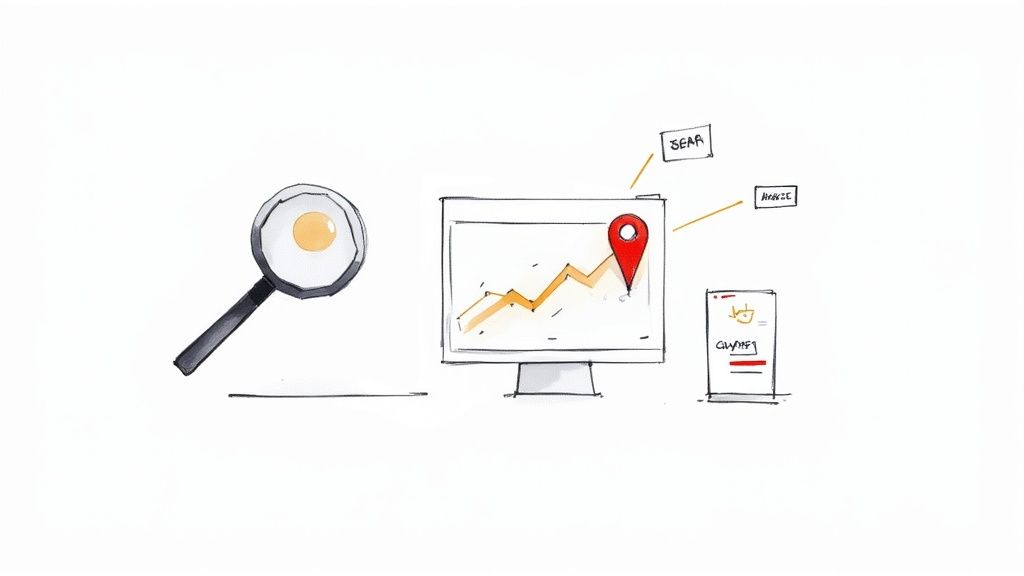
Connecting your Google Business Profile to Google Search Console (GSC) transforms your optimization efforts from guesswork into a data-driven strategy. This integration unlocks a powerful dashboard that reveals exactly how customers find your business profile on Search and Maps, including the specific keywords they use. Without this connection, you are essentially flying blind, unable to see which search queries are driving visibility and which are being missed.
This link provides direct insights into your local search performance, bridging the gap between your profile and actual user behavior. Google uses this data to understand search intent better, and you can use it to refine your content, services, and overall profile information to match what your audience is actively looking for. This is a critical component of any comprehensive Google Business Profile optimization checklist.
Why It's Foundational
Integrating with GSC is foundational because it provides the "why" behind your performance metrics. For example, a local plumber might assume their main keyword is "plumber near me," but GSC data could reveal that "emergency 24/7 plumbing services" drives the most qualified calls. Similarly, a dental clinic could discover that searches for a high-value service like "Invisalign in [City]" have a high impression count but a low click-through rate, indicating a need to optimize their profile description or create a Google Post about that service. This data is essential for understanding various local SEO ranking factors and adapting your strategy accordingly.
Actionable Tips for Implementation
To leverage the full power of this integration, follow these strategic steps:
- Connect Your Accounts: If you haven't already, link your GBP to your Google Search Console account. This is a simple process that unlocks performance data within your Business Profile dashboard.
- Analyze Search Queries Weekly: Regularly review the "Performance" report to see which keywords are bringing users to your profile. Look for trends, new search terms, and high-impression keywords with low clicks.
- Track Keyword Position Changes: Monitor your average position for your most important local keywords. A drop in ranking could signal an issue with your profile or increased competitor activity.
- Inform Your Content Strategy: Use the keyword data to inform your website content, blog posts, and Google Posts. If "vegan salon services" is a popular query, create content specifically addressing that need.
9. Mobile Optimization and User Experience
With the vast majority of local searches now happening on smartphones, optimizing your Google Business Profile for mobile users is no longer optional; it's essential for survival and growth. Mobile optimization ensures that every potential customer who finds you on their phone has a seamless, fast, and intuitive experience, from first glance to final action. Think of your GBP as a mini-app for your business; if it's slow, confusing, or broken on mobile, users will simply tap away to a competitor.
This focus on mobile directly impacts conversions and rankings. Google prioritizes mobile-first indexing and rewards businesses that provide a superior user experience on smaller screens. A profile that is easy to navigate, with quick-loading photos and one-tap action buttons, signals to both users and Google that your business is accessible and customer-centric, a key part of any modern google business profile optimization checklist.
Why It's Foundational
A mobile-optimized profile is the bridge between a local search and a real-world transaction. For a quick-service restaurant, this means enabling a customer to find their location, check the menu, and tap to order directly from the search results page while on the go. Similarly, an emergency plumber needs a prominent click-to-call button so a customer with a burst pipe can get help immediately without fumbling through a clunky website. A poor mobile experience adds friction, losing you valuable leads at the most critical moment.
Actionable Tips for Implementation
To guarantee your profile delivers an excellent mobile experience, focus on speed and simplicity:
- Test Your Profile: Regularly view your Google Business Profile on different mobile devices (iOS and Android) and screen sizes to identify any layout or functionality issues. Check how photos, posts, and your business description render.
- Enable Click-to-Call: Ensure your phone number is correctly formatted and the call button is prominent. This is often the primary conversion action for mobile users, especially for service-based businesses.
- Optimize Media for Speed: Compress your photos and videos before uploading. Large files can slow down your profile's load time on mobile networks, frustrating users and potentially harming your ranking.
- Check Your Linked Website: The user journey doesn't end on your profile. Ensure the landing page linked from your GBP (your website) is mobile-responsive, loads in under 3 seconds, and makes it easy for visitors to complete the desired action (e.g., book an appointment, view inventory).
10. Verification, Authority, and Trust Building
Beyond filling out your profile, the next crucial step is proving its legitimacy to both Google and potential customers. This involves a multi-faceted approach of formal verification, building digital authority, and fostering trust signals. Think of verification as getting your official business license approved by Google, while authority building is like earning a strong reputation within your local digital community.
A verified and trusted profile is fundamentally more valuable to Google’s algorithm. It signals that your business is operational, credible, and a safe bet to recommend to users. Inconsistent information or a lack of external validation can make your profile appear unreliable, directly suppressing its visibility in the highly competitive local search results and Map Pack.
Why It's Foundational
Trust is the currency of local search. A verified profile receives a "Verified" checkmark, immediately boosting customer confidence. For a medical practice, this verification, combined with citations on health-specific directories, confirms their credentials. Similarly, a contractor who verifies their license and builds a strong review profile is more likely to be chosen over an unverified competitor because they have established a baseline of credibility and professionalism.
Actionable Tips for Implementation
To properly verify your profile and build lasting authority, follow these strategic steps:
- Complete Verification Immediately: As soon as you create or claim your profile, start the verification process. This is a non-negotiable step in any serious Google Business Profile optimization checklist. Postcard verification is common, but opt for phone or email if available for faster results.
- Build Consistent Citations: Ensure your business's NAP (Name, Address, Phone Number) is listed consistently across major online directories like Yelp, the Better Business Bureau (BBB), and industry-specific sites. These citations act as third-party votes of confidence.
- Acquire Authoritative Local Backlinks: Earn links to your website from respected local sources, such as a local chamber of commerce, news outlets, or community blogs. These links signal to Google that your business is an established part of the local fabric.
- Showcase Professionalism: Use a professional email address with your own domain (e.g., contact@yourcompany.com) on your profile and website. This small detail reinforces your business's legitimacy.
10-Point Google Business Profile Optimization Comparison
| Item | 🔄 Implementation Complexity | ⚡ Resource / Time Investment | 📊 Expected Outcomes (Effectiveness) | Ideal Use Cases | 💡 Key Advantages / Tips |
|---|---|---|---|---|---|
| Complete Business Information Setup | Low — one-time setup, ongoing updates 🔄 | Low–Medium — manual entry, higher for multi-location ⚡ | Improves local rankings and discoverability — ⭐⭐⭐⭐ 📊 | All local businesses, multi‑location brands | Verify NAP before publishing; keep formatting consistent 💡 |
| High-Quality Photo and Video Upload | Medium — organization and upload process 🔄 | High — photography/video costs and frequent updates ⚡ | Increases CTR and trust; boosts local visibility — ⭐⭐⭐⭐ 📊 | Restaurants, hotels, retail, any visual product/service | Hire a pro for initial set; update monthly; use captions 💡 |
| Customer Reviews Management and Response | Medium–High — continuous monitoring and replies 🔄 | Medium — time or tools for notifications/automation ⚡ | Strong conversion and ranking impact — ⭐⭐⭐⭐⭐ 📊 | Service providers, hospitality, local retail | Respond within 24–48 hrs; use templates; encourage reviews 💡 |
| Accurate Business Category Selection | Low — selection and occasional review 🔄 | Low — research time to choose best fit ⚡ | Improves relevance in category searches — ⭐⭐⭐⭐ 📊 | Niche or multi-service businesses needing precision | Be specific; use secondary categories; monitor changes 💡 |
| Google Posts and Content Marketing | Medium — recurring content creation 🔄 | Medium — image/text creation and scheduling ⚡ | Drives engagement/traffic; signals freshness — ⭐⭐⭐ 📊 | Promotions, events, seasonal offers, small business marketing | Post 1–2× weekly; include CTAs and high‑quality images 💡 |
| Website and Service Pages Linking | Medium–High — technical linking & tracking 🔄 | Medium–High — web dev, landing pages, analytics setup ⚡ | Boosts SEO, traffic, and conversions from GBP — ⭐⭐⭐⭐ 📊 | Law firms, clinics, e‑commerce, appointment-based services | Link to specific pages; use UTM and mobile‑optimized pages 💡 |
| Attributes and Services Configuration | Medium — inventory of attributes and services 🔄 | Low–Medium — data collection and periodic updates ⚡ | Improves matches for attribute-based queries — ⭐⭐⭐ 📊 | Restaurants, medical offices, retailers, service-heavy businesses | Add all applicable attributes; keep descriptions concise (<100 words) 💡 |
| Local SEO and Google Search Console Integration | High — technical setup and analysis 🔄 | Medium–High — analytics skills and regular review ⚡ | Reveals keywords/traffic opportunities — ⭐⭐⭐⭐ 📊 | Businesses investing in measurable local growth and optimization | Connect GSC immediately; review queries weekly and build roadmap 💡 |
| Mobile Optimization and User Experience | Medium–High — design and performance work 🔄 | Medium–High — responsive design, image optimization ⚡ | Higher mobile conversions and reduced bounce — ⭐⭐⭐⭐ 📊 | Any business with mobile-first customers (80%+ local searches) | Ensure <3s load, large tappable buttons, test booking flows 💡 |
| Verification, Authority, and Trust Building | Medium — verification steps and citation work 🔄 | Low–Medium — documentation and citation building ⚡ | Required for visibility; builds customer trust — ⭐⭐⭐⭐ 📊 | Regulated professions, new listings, businesses needing credibility | Verify ASAP; maintain NAP consistency; build authoritative citations 💡 |
Turn Your Checklist into a Competitive Advantage
You’ve made it through the comprehensive Google Business Profile optimization checklist, a roadmap designed to transform your local digital presence from a simple listing into a powerful customer acquisition engine. We've navigated the foundational elements like completing every informational field with precision, selecting hyper-specific business categories, and configuring detailed attributes and services. We also explored dynamic, ongoing tasks such as cultivating a five-star reputation through review management, publishing timely Google Posts, and uploading a continuous stream of high-quality photos and videos.
This checklist is more than a one-time setup guide. It is a repeatable framework for sustained local search dominance. The difference between a business that temporarily appears in the Map Pack and one that consistently owns top positions lies in the disciplined execution of these tasks. Remember, your Google Business Profile is a living entity, not a static brochure. It requires consistent attention, engagement, and refinement to maintain its authority and relevance in Google's eyes.
From Optimization to Ongoing Dominance
The core takeaway is that optimization is a process, not a project. The initial setup lays the groundwork, but the real competitive advantage is forged through consistent, strategic action. Think of it in terms of building trust, both with potential customers and with Google’s algorithm. Every answered question, every new photo, and every thoughtful review response sends a powerful signal that your business is active, engaged, and reliable.
The most successful multi-location brands and savvy local marketers understand this principle deeply. They don't just "set and forget" their profiles. They integrate GBP management into their weekly marketing operations. This consistent effort ensures their listings are not only complete but also vibrant hubs of activity that attract and convert local searchers.
Key Pillars for Lasting Local SEO Success
As you move from completing this checklist to implementing a long-term strategy, focus your efforts on three critical pillars:
- Consistency: Regularly update your profile with new photos, Google Posts, and updated information. A stale profile is a red flag to both users and search engines.
- Engagement: Actively manage your customer interactions. This means responding to all reviews (positive and negative), answering questions promptly in the Q&A section, and enabling messaging to provide another channel for customer communication.
- Measurement: Track your performance relentlessly. Use GBP Insights to monitor how customers find you, what actions they take, and which photos get the most views. This data is your guide to understanding what’s working and where you can improve.
Mastering this Google Business Profile optimization checklist is your first, most critical step toward capturing valuable local traffic. By treating your GBP as a primary marketing channel and committing to its continuous improvement, you create a defensible moat around your local search rankings. You move beyond simply being listed to becoming the definitive, most trusted choice for customers in your area, turning clicks into foot traffic and searches into sales.
Ready to see the real-world impact of your optimization efforts? This checklist helps you build the perfect profile, and Nearfront provides the proof it's working. With live local ranking heatmaps and detailed performance analytics, Nearfront shows you exactly how your GBP optimization translates into improved Map Pack visibility and customer actions, helping you turn your checklist into a predictable revenue driver. Explore how you can measure and maximize your local SEO ROI at Nearfront.