A good google my business ranking checker does one thing perfectly: it tells you exactly where your business shows up in local search. This isn't about guesswork; it's about getting clear, actionable data. For any business with a physical location, these tools are non-negotiable because they show you how visible you are to customers in specific neighborhoods—not just some useless national average.
Why Your Google Maps Rank Is a Local SEO Game Changer
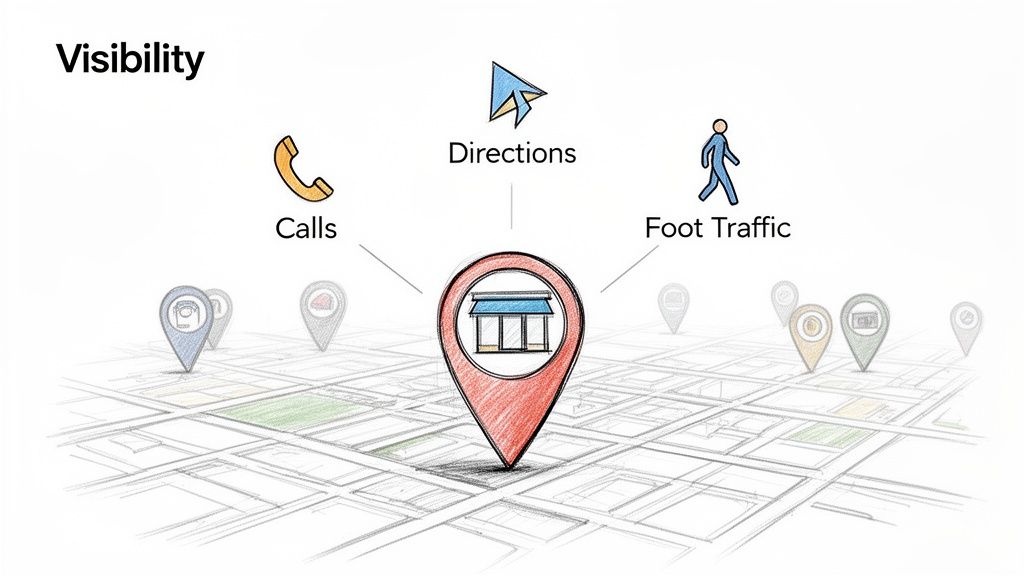
If you run a brick-and-mortar business, your success isn't measured in website traffic. It's measured in real-world actions: phone calls, requests for directions, and people walking through your door.
This is a critical point that old-school SEO metrics completely miss. Your Google Business Profile (GBP) is your new digital storefront, and its spot in the Google Map Pack is the most valuable real estate you can own online. When someone searches "cafe near me," showing up in those top three results is the difference between getting a new customer and being totally invisible.
This is where a dedicated google my business ranking checker becomes so essential. Without one, you’re flying blind. You might think you have great visibility because you rank #1 when you search from your own office, but that’s a dangerously misleading view. A potential customer standing just a few blocks away is likely seeing a completely different set of results, with your competitors front and center.
Uncovering Granular Local Insights
Your competitors are already using localized data to get an edge. They're analyzing their visibility on a neighborhood-by-neighborhood basis, figuring out which zones they dominate and where they have room to grow. This hyper-local approach lets them fine-tune their SEO efforts with surgical precision.
Imagine a multi-location wellness clinic. A ranking tool might reveal its downtown branch ranks poorly for "physical therapy" in a high-income residential area just two miles away. With that single piece of intel, they can launch a targeted review campaign and create localized GBP Posts aimed squarely at that neighborhood, fixing a known visibility gap.
The core truth of local SEO is that visibility is hyper-contextual. Your rank isn't a single number; it's a dynamic, location-specific metric that changes from one street corner to the next.
Moving Beyond Vanity Metrics
Tracking your map rank isn’t just about ego. It’s about tying your digital presence to real business results. A drop in your Map Pack position for a keyword with high purchase intent can directly cause a dip in phone leads. On the flip side, improving your rank can create a measurable spike in direction requests and foot traffic.
This direct link between visibility and customer action is what makes monitoring your GBP so critical. It turns local SEO from a vague marketing task into a primary driver of revenue. As you dig deeper into this guide, you’ll learn about the specific local SEO ranking factors that Google’s algorithm cares about and how to optimize for them.
But without the right data, you're just taking a shot in the dark, hoping to hit a target you can't even see.
Choosing Your Rank Tracking Method
So, how do you actually check your Google Business Profile rankings? You've got two main paths: the old-school manual approach and the modern, automated one using specialized tools. The path you choose will make a huge difference in the accuracy of your data, the time you'll sink into it, and your ability to make smart moves that actually improve your local visibility.
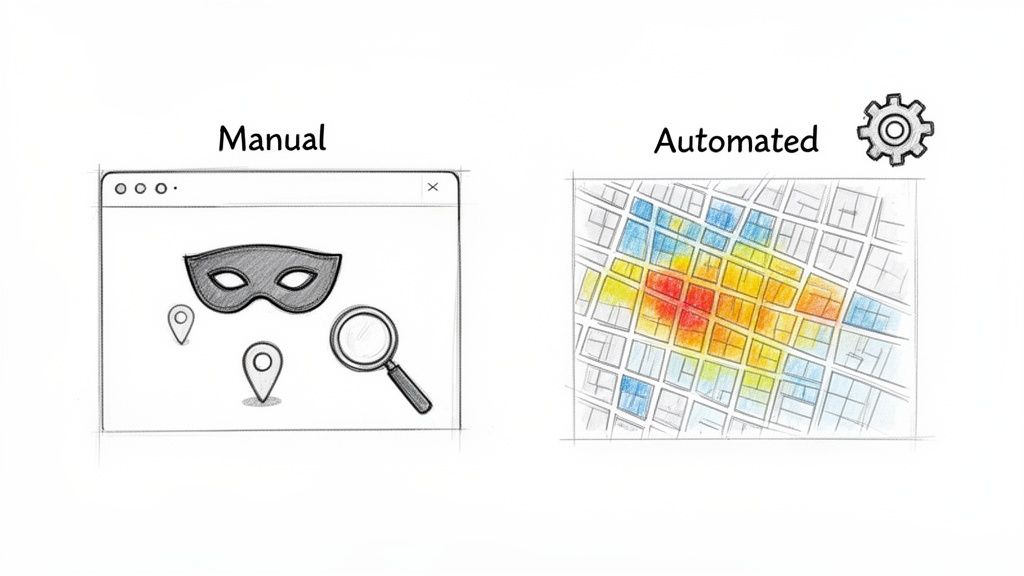
The manual method is pretty basic. You open an incognito browser window (to stop your personal search history from messing with the results) and start searching for your target keywords.
Simple enough, right? But it’s a trap.
The Limits of Manual Spot Checking
While it feels straightforward, manual spot-checking has some serious flaws that can give you a dangerously misleading picture of your performance. The biggest problem is that it’s just not accurate.
Your ranking isn't one static number. It changes wildly depending on where someone is physically standing when they search.
If you search from inside your own store, you’ll probably see yourself in the #1 spot. Of course you do. But what about a potential customer searching from just half a mile down the road? They're likely seeing a totally different set of competitors in their Google Map Pack.
Trying to check this manually from different spots is a nightmare. You can mess around with browser tools to spoof your location, but all you get are a few disconnected dots on a map. For a multi-location brand, this is completely useless. Imagine trying to check rankings for ten keywords across five neighborhoods for each of your 20 stores. The time suck would be insane, and the data you get would still be full of holes.
The fatal flaw of manual checking is that it gives you a single snapshot from a distorted perspective. It's like trying to understand an entire landscape by looking through a keyhole; you see a tiny piece, but you miss the bigger picture entirely.
The Power of Automated Rank Tracking Tools
This is where a dedicated google my business ranking checker completely changes the game. Automated platforms are built specifically to fix the problems with manual checks, giving you a comprehensive, accurate, and scalable way to see what’s really going on.
Instead of one unreliable rank, these tools simulate searches from hundreds—or even thousands—of different points across your entire service area. The data is then visualized in a way you can actually understand, usually as a ranking heatmap.
A heatmap lays a color-coded grid over a map, showing your exact ranking at each point for a specific keyword.
- Green areas show where you’re in the top 3.
- Yellow areas might show positions 4-10.
- Red areas highlight the dead zones where you're basically invisible.
This visual gives you an instant, honest look at your visibility footprint. You can see exactly which neighborhoods you're failing to reach and where competitors are eating your lunch.
For businesses with multiple locations, the advantage is even bigger. A platform like Nearfront provides a central dashboard to track and compare every single location. You can spot underperforming stores that need help, analyze city-wide visibility, and figure out what your top-ranking branches are doing right so you can replicate it. That level of insight is just impossible to get manually.
Manual vs Automated Google Business Profile Rank Checking
The difference between these two methods isn't just about convenience; it's about the quality and strategic value of the data you get.
| Feature | Manual Checking (Incognito Browser) | Automated Checker (e.g., Nearfront) |
|---|---|---|
| Accuracy | Low; results are skewed by the searcher's single location. | High; simulates searches from hundreds of points for an unbiased view. |
| Data Visualization | None; provides only a single ranking number per search. | Rich; uses heatmaps to show visibility across your entire service area. |
| Scalability | Poor; extremely time-consuming for multiple keywords or locations. | Excellent; tracks unlimited keywords and locations automatically. |
| Strategic Value | Limited; offers a narrow snapshot with little actionable insight. | High; identifies specific weak zones and competitive threats. |
At the end of the day, your choice comes down to how seriously you take local SEO. A quick manual check might satisfy your curiosity, but an automated google my business ranking checker gives you the real intelligence you need to build a winning strategy.
This approach turns rank tracking from a chore into a powerful driver of business growth. For a deeper look at the specific features of these platforms, you can learn more about how a Google Maps ranking checker provides a true competitive edge.
Turning Ranking Data Into Actionable Insights
Collecting data with a google my business ranking checker is the easy part. The real value comes from turning those raw numbers and colorful heatmaps into a smart, strategic action plan that actually drives more calls and foot traffic.
Without a clear plan, you're just admiring the data instead of putting it to work. The goal is to move from simply observing to acting—using insights to make targeted improvements that give you a real competitive edge.
Pinpoint Your Strongest and Weakest Zones with Heatmaps
A ranking heatmap is easily the most powerful visual in your local SEO toolkit. It immediately shows you the geographical reality of your online visibility. Instead of seeing a single, often misleading, rank, you get a full picture of your entire service area.
When you look at a heatmap, your eyes naturally jump to the green areas—these are your strongholds where you dominate the top three spots in the Map Pack. But the real gold is in the yellow and red zones.
- Red Zones: Think of these as your digital dead zones. Customers here are almost certainly finding a competitor first.
- Yellow Zones: These are the battlegrounds. You have some visibility, but you're not consistently in the top three where the vast majority of clicks happen.
Imagine a home services company discovering they're completely invisible in a newly developed, high-income suburb just outside their core area. That one insight is priceless. It tells them exactly where to focus their next local marketing push.
From Diagnosis to Strategic Action
Once you've spotted a weak zone, the next step is to figure out why and build a response. Is one specific competitor dominating that area? Is your business category not specific enough to capture what people are searching for there?
Here’s a practical workflow to turn a heatmap insight into real action:
- Identify a Problem Area: Your heatmap shows a huge red zone in a key neighborhood for your "dispensary near me" keyword.
- Analyze the Local Competition: Use your ranking tool to see who is ranking in that red zone. Are their profiles more complete? Do they have more recent, positive reviews from customers in that specific neighborhood?
- Launch a Targeted Campaign: Armed with this intel, you can launch a hyperlocal campaign. This could mean running geo-targeted ads, pushing for reviews from customers in that area, or creating GBP Posts that mention local landmarks or events.
This approach is surgical. Instead of wasting your marketing budget with a broad, scattergun strategy, you're aiming your resources precisely where they'll have the most impact.
The most effective local SEO isn't about being visible everywhere at once. It's about winning the small, critical battles for visibility in the neighborhoods that matter most to your bottom line.
Track High-Intent Keywords and Discover New Opportunities
Not all keywords are created equal. A customer searching for "local coffee shop" has a very different intent than someone searching for "best espresso downtown." Your google my business ranking checker lets you track these distinct keyword sets separately.
Focus on the keywords that signal a strong intent to buy. For a wellness clinic, this might be "chiropractor for back pain" versus a more general term like "health clinic." Tracking your performance for these money-making terms is absolutely crucial.
This process often uncovers untapped opportunities, too. You might find you're unexpectedly ranking on page one in a specific area for a service you don't even actively promote. That's a clear signal from the market telling you there's demand you can capitalize on. For a deeper look at the tools that make this possible, check out our guide on local SEO reporting tools that can help you organize these insights.
By systematically analyzing your ranking data, you create a continuous feedback loop. You identify a weakness, take targeted action, and then use your ranking checker to measure the impact. This iterative process is how you achieve—and keep—local market dominance.
Key Performance Indicators for Local SEO Success
Using a google my business ranking checker is all about measuring what actually matters. Sure, raw ranking data is interesting, but connecting it to tangible business outcomes is where you really gain a competitive edge. To get there, you have to move past a simple "are we number one?" mindset and start focusing on a handful of powerful Key Performance Indicators (KPIs).
These KPIs are what transform abstract data points into a clear story about your performance in the local market. They don't just tell you where you rank, but how effectively that visibility is translating into real customer actions that grow your bottom line.
For multi-location brands, this is even more critical. Tracking the right metrics lets you standardize performance across all your stores, easily spot underperforming locations, and figure out what your top branches are doing right so you can replicate their success everywhere else.
Moving Beyond a Single Rank Number
A single rank position is one of the least useful metrics in local SEO. Your ranking changes from one block to the next, so relying on a single number is like trying to gauge the weather for an entire state by looking out one window. It's just not accurate.
Instead, you need to focus on KPIs that give you a complete picture of your visibility footprint.
Here are the essential metrics I always recommend tracking:
Visibility Score: This is arguably the most important KPI you have. It measures the percentage of your defined service area where your business shows up in the top three results of the Google Map Pack. A high visibility score means you're a dominant player in the places that matter most to your customers.
Average Rank Across a City: While a single rank is misleading, an average rank calculated from hundreds of different search points gives you a much more reliable benchmark. It smooths out the wild fluctuations and provides a clear, high-level view of your overall performance in a specific geographic market.
Total Number of Ranking Keywords: This KPI helps you understand the breadth of your visibility. Tracking how many different high-intent search terms your business ranks for can uncover new opportunities and show you just how well your optimization efforts are expanding your digital shelf space.
This simple, three-step framework shows how to turn that raw ranking data into a strategic action plan.
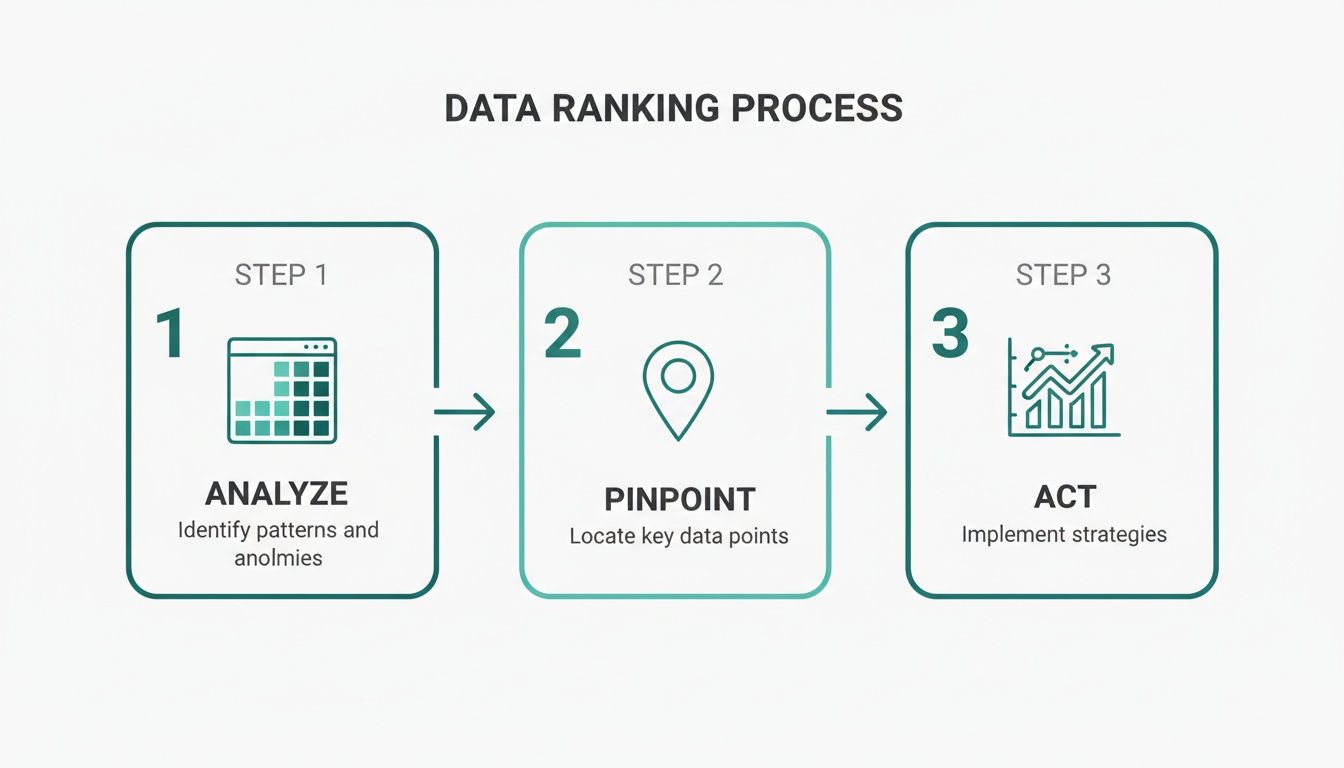
It’s all about a continuous cycle: analyze the data, pinpoint the weaknesses, and take targeted action to get better results.
Connecting Visibility to Business Outcomes
At the end of the day, the only reason to improve your local rankings is to drive more business. Period. Your ranking KPIs should always be analyzed alongside the core engagement metrics from your Google Business Profile. When you see your Visibility Score go up, you should also see a corresponding lift in calls, clicks, and direction requests.
A rising rank is only valuable if it leads to a rise in customer engagement. The strongest local SEO strategies are those that directly tie visibility improvements to measurable increases in calls, clicks, and foot traffic.
This is where the data tells a powerful story. For retailers, tracking these KPIs bi-weekly can directly correlate ranking improvements with a real lift in phone calls and in-store traffic. This is especially true in major markets, where a staggering 56% of profile views come from discovery searches—people who don't know your brand name yet. You can discover more about these local search factors from recent research.
By connecting the dots, you prove the ROI of your efforts and turn your local SEO strategy into a predictable engine for growth.
High-Impact Strategies to Boost Your Google Maps Rankings
Okay, you've got the data from your ranking checks. Now it's time to put it to work.
Getting those insights to translate into a better spot in the Google Map Pack isn't about guesswork. It’s about a focused, surgical approach to improving the specific things Google’s algorithm actually cares about.
The mission is simple: build a Google Business Profile (GBP) that the algorithm loves and that real customers can't resist. That's how local searches turn into foot traffic.
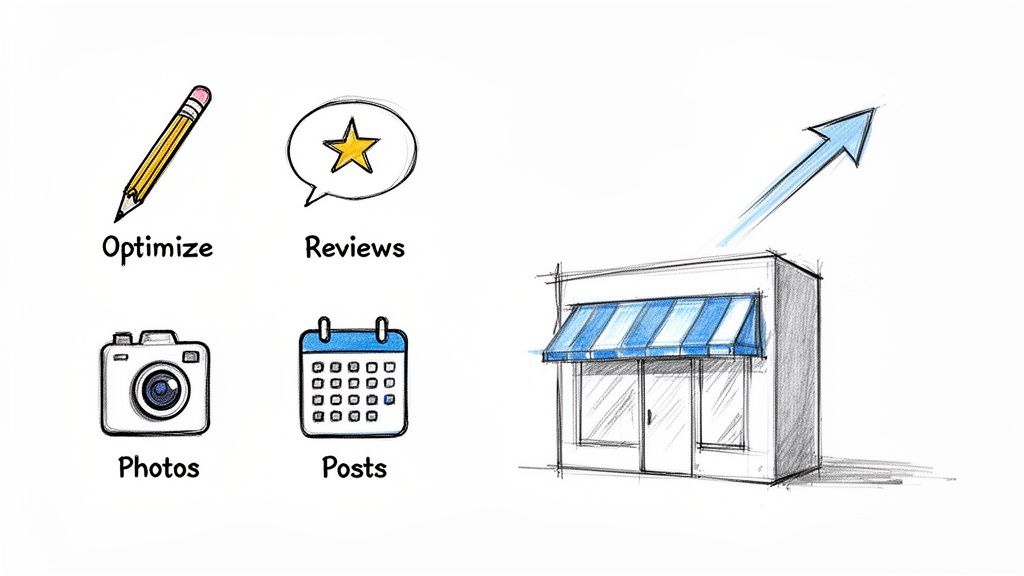
Optimize Your Core GBP Information
Think of your business description as prime real estate. It’s one of the first things Google scans to figure out what you do and who to show you to. Don't just list what you offer; weave in the keywords your customers are actually searching for.
For example, a wellness clinic shouldn't just write, "We offer physical therapy." That's a missed opportunity. Instead, try something like, "Our licensed physical therapists specialize in sports injury recovery and back pain relief for residents in the downtown area." See the difference? It’s descriptive, packed with keywords, and tells a much better story.
The same goes for your categories. Be hyper-specific. If you run a pizza shop, your primary category should be "Pizzeria," not the generic "Restaurant." Then, stack on secondary categories like "Italian Restaurant" or "Takeout Restaurant" to cover all your bases.
The foundation of any high-ranking profile is dead-on accuracy and relevance. Every single field in your GBP, from service areas to business hours, needs to be precise and filled with the terms your customers use.
Generate a Consistent Stream of High-Quality Reviews
Reviews are a massive signal of trust, both for Google and for the person searching. A steady flow of new, positive reviews tells everyone that you're an active, reputable business that people are happy with.
But you can't just cross your fingers and hope they roll in. You need a system.
- Ask at the right moment. The perfect time is right after a great experience—a successful appointment, a happy customer at the register.
- Make it dead simple. Give them a direct link to your GBP review page. Put it in an email, on a receipt, or behind a QR code in your store. The fewer clicks, the better.
- Reply to every single review. Good or bad, engaging with feedback shows you care. Plus, working relevant keywords into your replies can give you a nice little SEO nudge.
Let's go back to that wellness clinic. If they notice their rankings have dipped in a specific neighborhood, they could run a quick email campaign asking recent clients from that area for a review. This kind of hyperlocal feedback sends a powerful signal to Google that they're the go-to authority in that zone.
Leverage Posts and Photos for Engagement
Your Google Business Profile isn't a dusty old directory listing. It's a live, dynamic marketing tool. Publishing regular GBP Posts and uploading fresh, high-quality photos signals to Google that you're active, engaged, and relevant right now.
And this isn't some minor tweak. The data is clear: Google Business Profile is a beast, accounting for a massive 19.2% of total local SEO ranking factors.
A recent analysis found that businesses optimizing their descriptions with keywords saw a 31% lift in local pack visibility. Even better, profiles that published regular updates with GBP Posts appeared 2.8 times more often in those top-three spots. You can see the full breakdown in these powerful GMB statistics.
Here's how to make it happen:
- Use GBP Posts for promotions: Got a special offer, a new product, or an event coming up? Create a Post.
- Upload geo-tagged photos weekly: Show off your storefront, your team, your products, and your happy customers. Just make sure your phone's location services are on when you snap the pics to add that valuable geo-data.
Generate Authentic Local Engagement Signals
Beyond what's on your profile, Google's algorithm is getting much smarter about real-world engagement. It's looking for proof that people in your community are actually interacting with your business.
This means clicks on your profile, requests for driving directions, and phone calls are more important than ever. These are the signals that prove you're not just an online entity, but a popular, trusted local destination.
This is where platforms like Nearfront come in. They are built specifically to help generate these authentic local signals, aligning your activity with the metrics Google uses to rank businesses in the Map Pack. By combining a perfectly optimized profile with a steady stream of real-world engagement, you create a powerful one-two punch for climbing the local rankings.
Common Questions About Ranking Checkers
When you first start digging into local SEO, a few questions always pop up about using a google my business ranking checker. Getting straight answers helps clear the fog and lets you use these powerful tools with confidence, so you know you're getting real data to grow your business.
Let’s tackle some of the most common hurdles and questions marketers run into. Nailing these down is the key to moving from just collecting data to building a smarter, more effective local strategy.
How Often Should I Check My Rankings?
For most businesses, checking your Google Business Profile rankings bi-weekly is the sweet spot. This is frequent enough to see the impact of your work and keep an eye on competitors, but not so often that you get lost in minor daily shifts that don't mean anything.
A weekly check can make sense if you’re in a super competitive industry or just launched a big campaign, but daily tracking is almost always overkill. Automated platforms handle this perfectly by sending regular reports, so you can see the big picture over time without getting distracted by the noise.
The goal here is consistency, not obsession. A regular, scheduled check-in gives you the strategic oversight to make smart decisions without overreacting to normal algorithm hiccups.
Why Do My Rankings Look Different Than on My Phone?
This is a huge one. You search for your business on your phone and see yourself at #1, but your ranking checker says you’re at #8 just a few blocks over. What gives? It's because your personal search results are completely biased by your location, search history, and all the other data Google has on you.
A professional ranking checker gives you a much more honest—and valuable—look at reality.
- It mimics neutral searches: The tool acts like a brand-new customer with zero history, giving you an unbiased view of where you actually stand.
- It covers your entire service area: It checks your rank from hundreds of specific grid points across your city, not just from your current physical location.
This approach reveals your true visibility to potential customers, which is the only data that really matters for your strategy.
Can a Ranking Checker Improve My Rankings on Its Own?
It's crucial to understand what a google my business ranking checker actually does. It's a diagnostic tool, not a magic button. Think of it like a doctor’s X-ray machine—it shows you exactly where the problem is, but it doesn't perform the surgery.
While the tool itself won't directly boost your rank, the insights it provides are absolutely essential for building a strategy that works. The data tells you where to focus your limited time and resources. For example, it might show you're invisible in a key neighborhood, which is a clear signal to launch a targeted review campaign or create localized content for that specific area.
Do I Need to Give a Tool Access to My Google Business Profile?
Not at all, and this is a key point for security and simplicity, especially for multi-location brands. Modern, sophisticated platforms can monitor public search results at scale without ever needing direct admin access to your Google Business Profile account.
These tools gather all the ranking data, keyword performance, and competitive insights by analyzing the search results pages just like a real user would. This means you never have to hand over your login credentials, which simplifies setup and completely removes any security concerns about giving third-party access to your business profiles.
Ready to stop guessing and start seeing your true local visibility? Nearfront provides the live ranking heatmaps and competitive insights you need to dominate the Google Map Pack. Discover how Nearfront can turn your local search data into more calls and foot traffic today.